
How to Reset Hyundai Radio
Need to reset your Hyundai radio after a dead battery, power loss, or code lockout? This guide shows you the simple steps to get it working again. You’ll also learn how to find the radio code, avoid common mistakes, and fix quick problems without stress.
How to Reset Hyundai Radio
If your Hyundai radio stopped working after a dead battery, a jump start, or a battery swap, you are not alone. This is one of the most common issues Hyundai owners face. The good news is that how to reset Hyundai radio is usually a simple process once you know what kind of lock or glitch you are dealing with.
Sometimes the radio just needs a quick restart. Other times it asks for a security code. And in some cases, the problem is not the radio at all. It may be a fuse, a weak battery, or a system that needs a full power reset. In this guide, I’ll walk you through each step in plain language so you can get back to music, maps, and hands-free calls fast.
We will keep this easy. No tech talk unless it helps. If you can press buttons and read a screen, you can likely handle how to reset Hyundai radio on your own.
Key Takeaways
- Resetting a Hyundai radio is often simple: Most models only need the power button, ignition cycle, or radio code entered again.
- A battery disconnect can trigger a lock: If power is cut, the radio may ask for a security code before it works again.
- Your owner’s manual matters: It often lists the exact reset steps and may help you find the radio code.
- Different Hyundai models may vary: The reset process can change a little between Sonata, Elantra, Tucson, Santa Fe, and others.
- Small mistakes cause most problems: Wrong code entry, weak battery voltage, or a blown fuse can keep the radio from turning on.
- There are safe fixes before the dealer: You can try basic checks at home before paying for service.
- Keep your code saved: Store the radio code in a safe place so the next reset is much easier.
📑 Table of Contents
- Why a Hyundai Radio Needs to Be Reset
- Before You Reset the Hyundai Radio
- How to Reset Hyundai Radio Step by Step
- How to Find the Hyundai Radio Code
- Common Hyundai Radio Problems and Easy Fixes
- Tips to Avoid Radio Reset Problems in the Future
- When to Get Professional Help
- Simple Example: A Hyundai Radio After Battery Replacement
- Conclusion
Why a Hyundai Radio Needs to Be Reset
Power loss is the most common cause
Hyundai radios often lose their memory when the battery is disconnected or runs too low. When that happens, the radio may go into protection mode. It may show “CODE,” “LOCK,” or stay blank. This is normal in many vehicles because the radio is designed to help prevent theft.
If you recently changed the battery, had the car serviced, or needed a jump start, that is likely why you now need to learn how to reset Hyundai radio.
Software glitches can also happen
Sometimes the radio is powered, but it freezes. The screen may not respond. The sound may cut out. Or the buttons may stop working for no clear reason. In those cases, a reset can clear the issue and bring the system back to normal.
Security lockout after battery removal
Many Hyundai radios are protected by a code. If power is interrupted, the system may ask for that code before it turns on again. This is not a failure. It is a security feature. Knowing how to reset Hyundai radio includes knowing how to deal with that code safely.
Before You Reset the Hyundai Radio
Check the basics first
Before you start pressing buttons, take a quick look at the simple things. Make sure the ignition is in the correct position. Check that the battery is charged. Confirm that the volume is not turned all the way down. These small things can look like a radio problem when they are not.
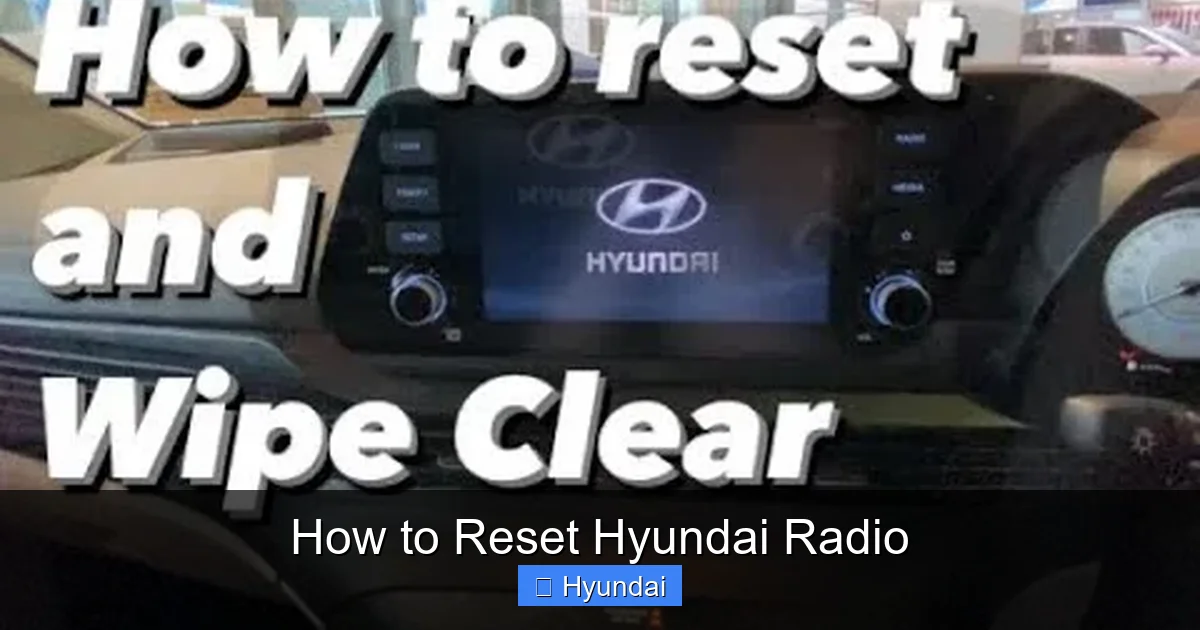
Visual guide about How to Reset Hyundai Radio
Image source: i.ytimg.com
If the car has other electrical issues too, the radio may be reacting to a bigger power problem. In that case, resetting the radio may not be enough on its own.
Look in the owner’s manual
Your Hyundai owner’s manual may list the exact steps for your model. It may also explain where to find the radio serial number or code. This is very helpful because the process can vary a little from one model year to another.
If you do not have the paper manual, many Hyundai manuals are available online. That can save time when you are trying to figure out how to reset Hyundai radio for your specific vehicle.
Know your model and year
A Sonata may not behave exactly like an Elantra or Tucson. Some newer infotainment systems use touch screens and soft resets. Older models may use physical buttons and a code entry screen. The year and trim level matter, so keep that in mind as you work through the steps.
How to Reset Hyundai Radio Step by Step
Step 1: Turn the ignition on
Start by putting the key in the ignition or pressing the start button until the car is in accessory mode or fully on. The radio needs power to respond. If the battery is weak, let the car run for a few minutes first.
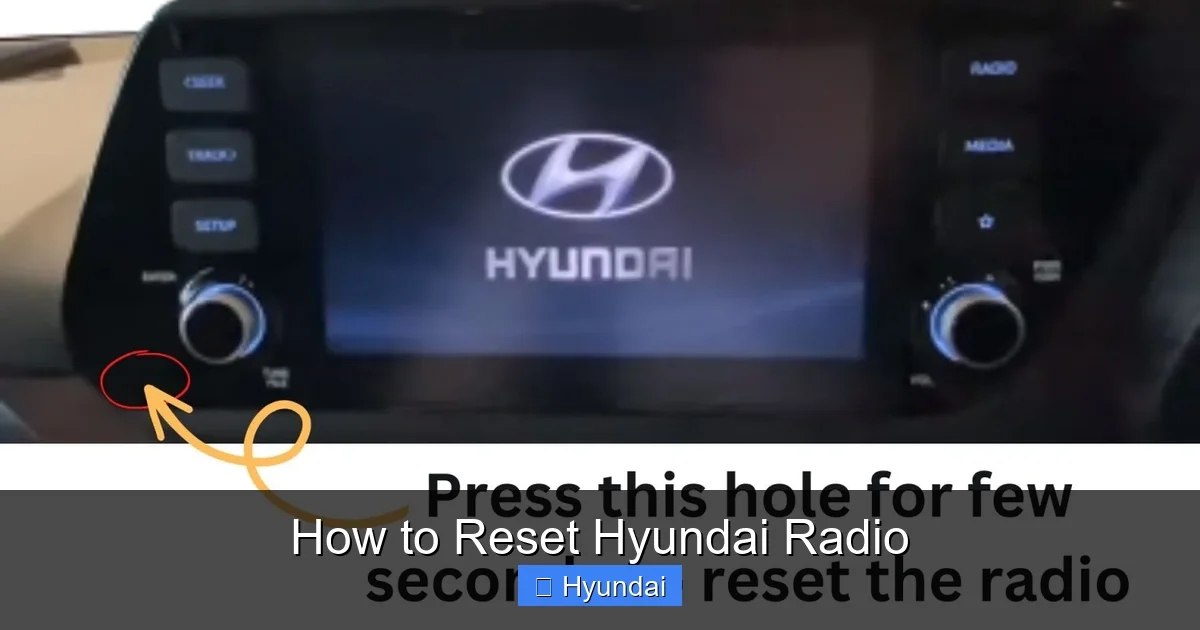
Visual guide about How to Reset Hyundai Radio
Image source: vehiclechef.com
Step 2: Try a simple power reset
In many cases, the easiest fix is a soft reset. Turn the radio off. Leave it off for about one minute. Then turn it back on. If the screen was frozen, this may clear the issue right away.
Some Hyundai systems also respond well to a full vehicle power cycle. Turn the car off, open the driver door, wait a minute, and restart the vehicle. This gives the system a clean restart.
Step 3: Enter the radio code if asked
If the screen shows a code prompt, you will need to enter the correct security code. This is the key part of how to reset Hyundai radio after a battery disconnect. Use the preset buttons or the touchscreen, depending on your model.
Enter the code carefully. If you enter the wrong code too many times, the system may lock you out for a while. That is why it helps to double-check each number before pressing confirm.
Step 4: Confirm the radio works
Once the code is accepted, test the radio. Try FM, AM, Bluetooth, and volume controls. Make sure the display responds. If the sound works and the screen is active, the reset was successful.
If the radio turns on but still acts strange, you may need a deeper reset or a service check.
How to Find the Hyundai Radio Code
Check the glove box and manual
Many Hyundai owners find the radio code in the owner’s manual packet, glove box label, or original paperwork from the dealership. This is the fastest place to look. Some vehicles also have a card with the code printed on it.
Use the radio serial number
If you do not have the code, you may need the radio serial number. On some Hyundai models, you can get this by holding certain buttons or by removing the radio unit. In other cases, a dealer or service center can retrieve it for you using your VIN and proof of ownership.
Do not guess the code. Guessing can lead to a lockout. If you are unsure, take a moment and verify the information first. That is a big part of learning how to reset Hyundai radio the right way.
Call a Hyundai dealer if needed
If you cannot find the code, a Hyundai dealer may help. They may ask for your vehicle identification number, registration, and ID. This is normal. It helps prove you own the car and protects the security system.
If you already have experience with reset tasks on other vehicles, such as how to reset a Kia after the battery is disconnected, you will notice the process is very similar in spirit, even if the exact buttons differ.
Common Hyundai Radio Problems and Easy Fixes
The radio is blank
If the display is completely blank, check the fuse first. A blown fuse can stop the radio from getting power. Also make sure the battery is fully charged. A weak battery can cause the screen to stay off even when other systems seem fine.
Try starting the car and waiting a minute. Some systems wake up slowly after a battery event. If the screen still does not light up, the radio may need service.
The radio says “CODE” or “LOCK”
This usually means the system wants its security code. Enter the code carefully. If you do not have it, look in the manual or contact the dealer. Do not keep entering random numbers. That can make the lockout worse.
The sound works, but the screen does not
This can happen on some Hyundai infotainment systems. The radio may still be alive, but the display has frozen. Try a soft reset first. Turn the car off, wait a minute, and restart it. If that fails, a fuse check or software update may be needed.
The Bluetooth or settings are acting strange
Sometimes only part of the system needs a reset. If Bluetooth will not pair or saved stations are gone, clear the pairing and reconnect your phone. You may also need to reset the date, time, and sound settings. This is still part of how to reset Hyundai radio, just on the settings side.
If you like learning simple Hyundai settings, you may also find this guide useful: how to change car temperature from Celsius to Fahrenheit Hyundai.
Tips to Avoid Radio Reset Problems in the Future
Keep the battery in good shape
A strong battery helps prevent radio lockouts and weird glitches. If your battery is old, test it before winter or before long trips. Low voltage is a common reason people need to figure out how to reset Hyundai radio in the first place.
Save the code in a safe place
Once you find the code, store it somewhere safe. You can write it in your phone notes, keep it in your glove box, or save it with your service records. Just do not leave it in a place that is too easy for strangers to find.
Do not disconnect the battery unless needed
Sometimes people disconnect the battery to fix a small issue, but that can create a bigger one for the radio. If you must disconnect it, make sure you know the code first. That simple step can save a lot of time later.
Use a memory saver if you can
A memory saver can help keep some settings alive while the battery is removed. It is not perfect for every car, but it can reduce the chance of losing radio memory. If you do battery work often, this is worth considering.
When to Get Professional Help
If the radio still will not turn on
If you have tried the reset steps and the radio still does nothing, the problem may be deeper than a code issue. It could be a fuse, a wiring fault, or a failed unit. At that point, a technician can test the system more safely and quickly.
If the code does not work
Sometimes the code is wrong, incomplete, or tied to a different radio unit. If you are sure the code is correct and it still fails, a dealer or auto electrician may need to verify the serial number and check the system.
If other electrical problems are present
If the dashboard lights flicker, the battery drains fast, or other electronics act up, the radio may be only one symptom. In that case, do not keep forcing resets. Get the electrical system checked. That can prevent more damage.
Simple Example: A Hyundai Radio After Battery Replacement
What this looks like in real life
Let’s say you replace the battery in your Hyundai Sonata. You start the car, and the radio shows a code screen. This is a normal result. You check the owner’s manual, find the code, and enter it using the preset buttons. The radio comes back on, your stations return, and Bluetooth works again.
That is the basic pattern for how to reset Hyundai radio. The exact screen may differ, but the process is usually the same: restore power, enter the code if needed, and confirm the system works.
Another common example
Now imagine your Hyundai Tucson radio is frozen after a jump start. There is no code screen. The screen just will not respond. In this case, a soft reset may solve it. Turn the car off, wait a minute, restart it, and check again. If that fails, inspect the fuse or ask for service help.
For more vehicle reset help, you may also like reading how to reset the check engine light on a Toyota Corolla. The system is different, but the idea of careful troubleshooting is the same.
Conclusion
Learning how to reset Hyundai radio is not hard once you know what caused the issue. Most of the time, it comes down to a battery disconnect, a code prompt, or a small system glitch. Start with the easy checks. Make sure the battery is good. Look for the code. Try a soft reset. Then test the radio again.
If the radio still does not work, do not panic. A blown fuse, weak battery, or wiring issue may be the real cause. And if you cannot find the code, a Hyundai dealer can often help. The key is to stay calm, follow the steps, and avoid random button pressing. That way, you can get your radio back on without making the problem worse.
With the right steps, how to reset Hyundai radio becomes a quick job instead of a headache. Save your code, keep your battery healthy, and you will be ready the next time the system needs a reset.
Frequently Asked Questions
Why does my Hyundai radio ask for a code after battery replacement?
This happens because the radio has a security feature that protects it when power is lost. After a battery change or disconnect, the system may need the code before it will turn back on.
Where can I find my Hyundai radio code?
Check the owner’s manual, glove box paperwork, or any card that came with the vehicle. If you still cannot find it, a Hyundai dealer may help with your VIN and proof of ownership.
Can I reset a Hyundai radio without the code?
Sometimes yes, if the issue is only a frozen screen or a minor glitch. But if the radio is locked for security, you will need the correct code to finish the reset.
What if my Hyundai radio is blank after a jump start?
Start with a soft reset and check the fuse. A weak battery or power issue may also be the cause, so make sure the electrical system is stable before trying again.
Will disconnecting the battery reset my Hyundai radio?
It may clear a small glitch, but it can also trigger the code screen. If you disconnect the battery, be ready to enter the radio code when power returns.
How many wrong code attempts can I enter?
That depends on the model, but too many wrong tries can lock the system for a while. Enter the code carefully and double-check each number before confirming it.


