
How to Get Digital Speedometer on Nissan Rogue
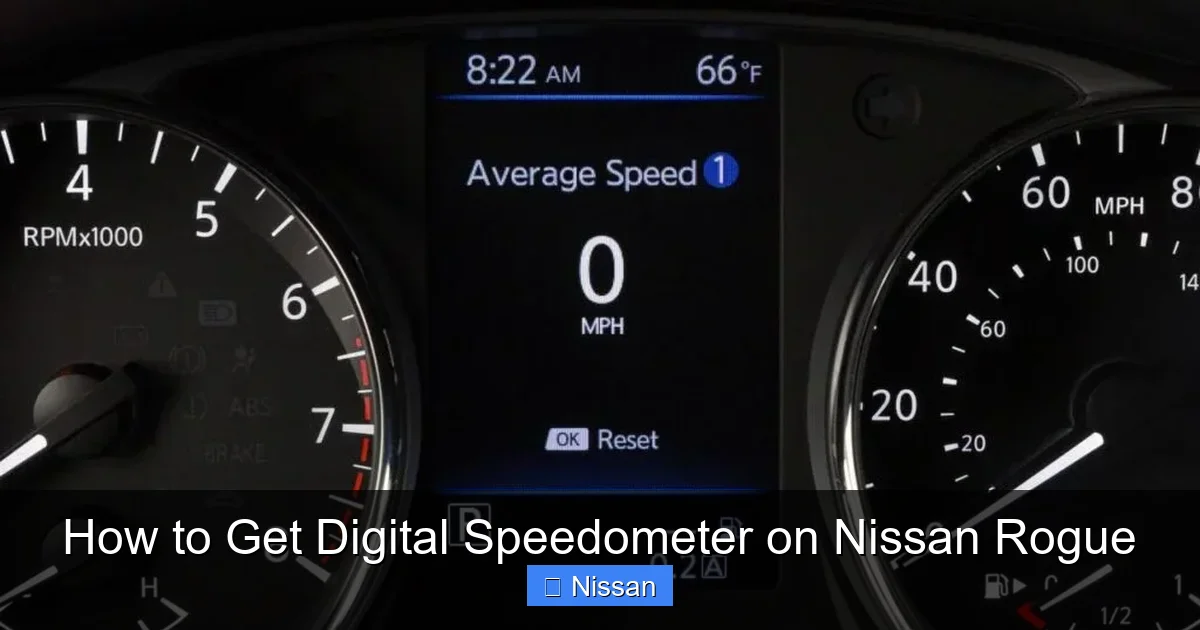
Want to know how to get digital speedometer on Nissan Rogue? The answer usually starts with the vehicle’s display settings and steering wheel controls. In many Rogue models, you can switch the gauge view in just a few taps, but the exact steps depend on the year and trim.
How to Get Digital Speedometer on Nissan Rogue
If you want a cleaner and easier way to read your speed, the digital speedometer on a Nissan Rogue is a great feature. It puts your speed right in front of you in a clear number, so you do not have to glance at the old-style needle as often. That can make driving feel simpler, especially in traffic or on long trips.
The good news is that most Rogue models already have this feature built in. You just need to know where to look. The steps can be a little different depending on the year and trim, but the idea is the same. You use the steering wheel controls or the display menu to switch the gauge view. If you are trying to figure out how to get digital speedometer on Nissan Rogue, this guide walks you through it in a simple way.
Before you start, it helps to know that the digital speedometer usually lives inside the driver information display. It is often behind the steering wheel, between the gauges, or inside a small screen in the cluster. It is not always in the center infotainment screen. Once you know that, the search gets much easier.
Key Takeaways
- Point 1: The digital speedometer on a Nissan Rogue is usually found in the driver information display, not the center screen.
- Point 2: Most Rogue models let you change the view with steering wheel buttons and the info menu.
- Point 3: The steps can vary by model year, trim level, and screen type.
- Point 4: If the digital speedometer is missing, check the settings menu for display, meter, or gauge options.
- Point 5: A dead battery, software glitch, or wrong display mode can hide the digital speed readout.
- Point 6: If settings do not work, a dealer can help with software updates or a deeper system reset.
- Point 7: Once enabled, the digital speedometer is easy to keep on for daily driving and long trips.
📑 Table of Contents
- What the Digital Speedometer Is on a Nissan Rogue
- How to Get Digital Speedometer on Nissan Rogue Step by Step
- How the Steps Can Change by Rogue Year and Trim
- What to Do If the Digital Speedometer Does Not Show Up
- Helpful Tips for Using the Digital Speedometer Every Day
- When to Check the Owner’s Manual or Visit a Dealer
- Common Mistakes to Avoid
- Conclusion
What the Digital Speedometer Is on a Nissan Rogue
A simple way to read your speed
The digital speedometer shows your speed as a number instead of a needle on a dial. For example, instead of seeing 45 mph on a round gauge, you may see “45” in a clear digital format. Many drivers like this because it is quick to read at a glance.
On a Nissan Rogue, the digital speedometer is part of the instrument cluster display. That means it works with the driver info screen, trip data, fuel info, and warning messages. In other words, it is part of the same system that helps you track the car while you drive.
Why drivers like it
People often switch to the digital speedometer because it feels easier to follow. It can help you stay aware of your speed in school zones, city traffic, and on the highway. It also gives the cabin a more modern feel.
If you are used to digital displays in newer phones and devices, the digital speedometer may feel more natural right away. It is one of those small changes that can make a big difference in daily driving.
How to Get Digital Speedometer on Nissan Rogue Step by Step
Use the steering wheel controls
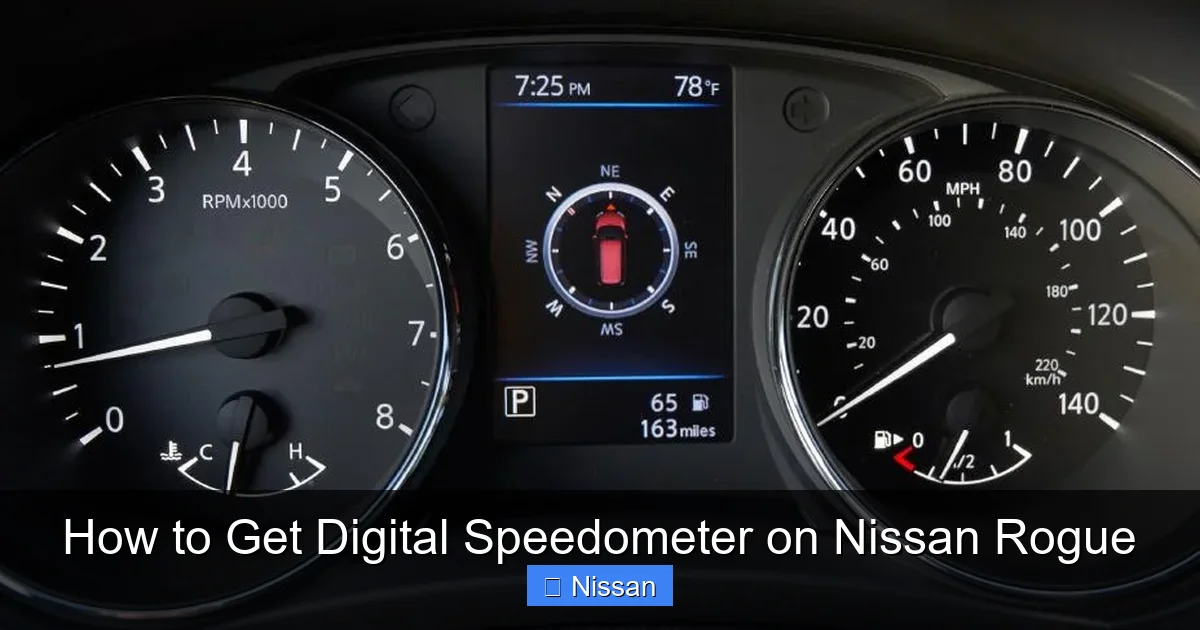
Most Nissan Rogue models let you change the display using buttons on the steering wheel. Look for buttons labeled Info, Menu, Arrow, or OK. These buttons usually control the screen behind the wheel.
Visual guide about How to Get Digital Speedometer on Nissan Rogue
Image source: wieck-nissanao-production.s3.amazonaws.com
Start the vehicle or switch it to accessory mode. Then press the info or menu button until you reach the display settings or the main gauge screen. Use the arrow buttons to move through the options. When you find the digital speedometer or gauge view, press OK to select it.
On some models, the digital speedometer appears after you cycle through different display pages. You may see trip info, fuel economy, driver assist data, and then the speed display. Keep pressing the button until the right screen appears.
Check the meter or display settings
If the speedometer does not show up right away, go into the settings menu. Look for words like Meter Settings, Display Settings, or Driver Assistance. Some Rogue models hide the feature inside a submenu.
Once inside the menu, search for gauge layout, meter style, or digital display options. You may need to turn the feature on or choose a different screen layout. If your Rogue has multiple display themes, one theme may show the digital speedometer while another does not.
Pick the right screen layout
Many newer Rogue models let you choose between different cluster views. One layout may show a large digital speed readout in the center. Another may use a traditional dial with a small digital number nearby. This is normal.
If your goal is to make the speed easier to see, choose the layout that puts the number front and center. Try a few views until you find the one you like best. If you use the car every day, it is worth taking a minute to set it up the way you want.
How the Steps Can Change by Rogue Year and Trim
Older Rogue models
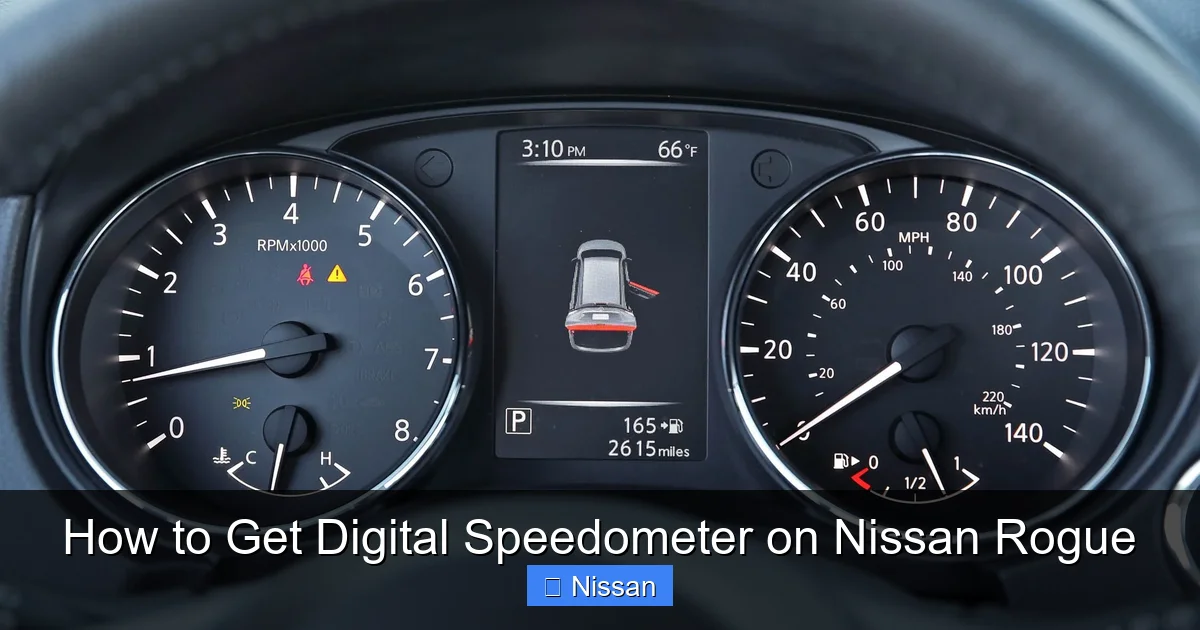
Older Nissan Rogue models may not have a full digital cluster. Some may only offer a small digital speed readout in the information screen. In those cases, you may not get a large modern-style display, but you can still often turn on a digital speed number.
Visual guide about How to Get Digital Speedometer on Nissan Rogue
Image source: cevpu.com
If your Rogue is older, check the owner’s manual for the exact button sequence. The manual often explains which button opens the meter screen and how to switch views. If you do not have the paper book, you can usually find the manual online by model year.
Newer Rogue models
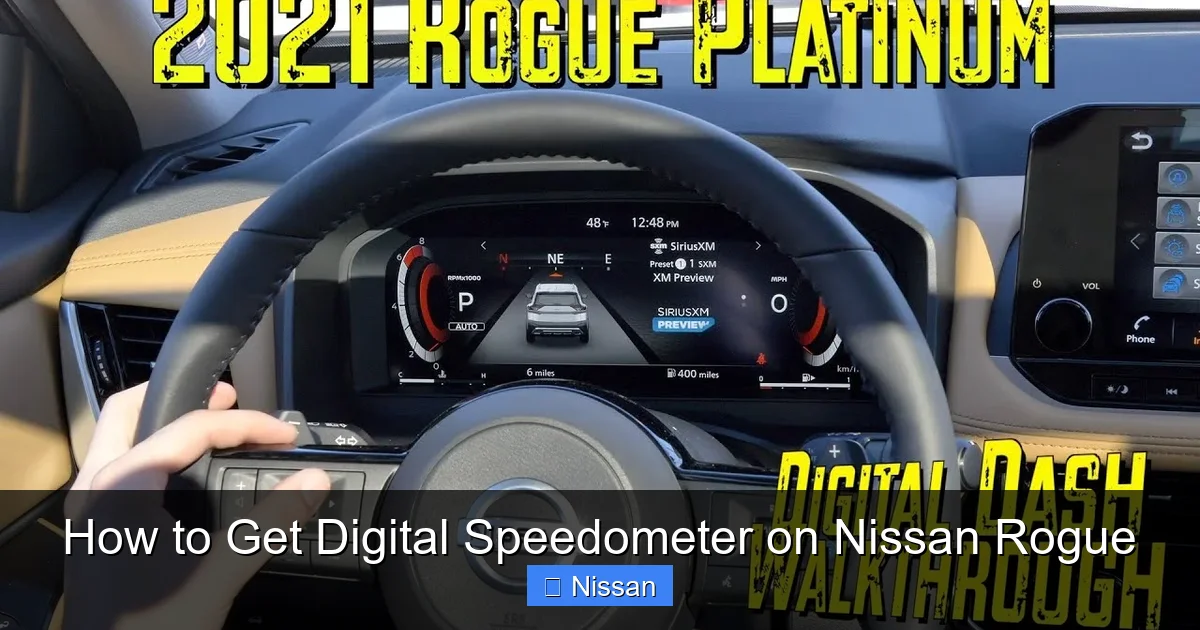
Newer Rogue trims often make this easier. Many come with a more advanced digital display and more view options. Some versions let you customize the cluster with a few taps, and the digital speedometer may already be part of the default setup.
In newer models, you may also find settings for brightness, layout, and display content. That means you can make the speed number larger, clearer, or easier to read in different light conditions.
Trim differences matter
Not every Rogue trim has the same screen setup. A base trim may have fewer display choices than a higher trim. That does not mean you cannot get a digital speedometer. It just means the path to it may be a little different.
If you are not sure what your trim includes, check the equipment list for your model year. That can save time and help you avoid looking for a feature your Rogue may not have.
What to Do If the Digital Speedometer Does Not Show Up
Restart the vehicle
Sometimes the fix is very simple. Turn the Rogue off, wait a few seconds, and start it again. A small software hiccup can make the display act strange. A restart often clears it up.
Visual guide about How to Get Digital Speedometer on Nissan Rogue
Image source: i.ytimg.com
If you recently disconnected the battery or had service done, the display may need a fresh start before all settings return to normal.
Reset the display settings
If the screen still does not show the digital speedometer, try resetting the display or meter settings. This can bring the system back to a default layout. Once that happens, you can choose the speedometer view again.
Be careful not to reset more than you need. Some menus also include trip data, radio settings, or driver preferences. If you are unsure, use the owner’s manual as a guide.
Look for software issues
In rare cases, the display may not work because of a software problem. This is more common if the system freezes, flickers, or changes screens by itself. A dealer may be able to update the software and fix the issue.
If your Rogue has other screen problems at the same time, such as a blank cluster or missing warning lights, do not ignore it. That can point to a bigger electrical issue.
Check for the right ignition mode
Some vehicles only show certain display options when the ignition is in the right mode. If the Rogue is not fully on, the cluster may not let you change views. Make sure the car is in the proper power mode before you try again.
This is a small thing, but it matters. A lot of drivers think the feature is missing when the car just is not fully awake yet.
Helpful Tips for Using the Digital Speedometer Every Day
Make it easy to read
Once you learn how to get digital speedometer on Nissan Rogue, take a minute to adjust the display so it is easy to see. If the number feels too small, switch to a different layout. If the screen looks too bright at night, lower the brightness.
Small changes like these can make the display much more useful. You should not have to squint or search for your speed.
Use it for city driving
A digital speedometer is especially handy in stop-and-go traffic. It helps you keep a steady pace and avoid small speed jumps. It can also help when driving through areas with changing speed limits.
For example, if you are moving from a 25 mph neighborhood street to a 45 mph main road, the number is easy to track. That can make the drive feel smoother and less stressful.
Combine it with other display info
Your Rogue may also show fuel range, tire pressure alerts, or driver assist warnings on the same screen. That can be useful if you want one place to check key driving info. If you are interested in other dashboard features, you may also like reading about how to check tire pressure on a 2021 Toyota Corolla and how to reset the maintenance light on a 2021 Toyota Rav4.
Keeping an eye on the full display can help you stay ahead of small issues before they grow into bigger ones.
When to Check the Owner’s Manual or Visit a Dealer
Use the manual for exact steps
If your Rogue’s display seems different from what you expected, the owner’s manual is the best place to start. Nissan often explains the instrument panel in detail, including how to switch between display modes. That is the fastest way to get the right answer for your exact year and trim.
The manual can also tell you whether your model supports a full digital speedometer or only a small digital readout. That saves time and stops guesswork.
Visit a dealer if the screen is still wrong
If you have tried the menu options and the digital speedometer still will not appear, a dealer can help. They can check for software updates, hidden faults, or display settings that are not easy to reach. They can also tell you if your model has a hardware issue.
This is a good step if the cluster is acting strange in more than one way. For example, if the screen dims, flickers, or shows random symbols, it is time to get it checked.
Do not force the system
It can be tempting to press every button and keep cycling through menus. That usually does not help. Instead, move slowly and note what changes on the screen. If you find a view you like, stop there and save it if the system allows.
That same careful approach helps with other vehicle features too, like learning how to reset the maintenance required light on Toyota or how to open the gas tank on an Infiniti. Simple steps are best when you are working with dashboard systems.
Common Mistakes to Avoid
Looking in the wrong screen
One common mistake is checking the center touchscreen instead of the driver display. The digital speedometer is usually behind the steering wheel. If you do not see it on the main screen, move your attention to the gauge cluster.
Assuming every Rogue is the same
Another mistake is assuming all Nissan Rogue models use the same menu path. They do not. The year and trim matter a lot. A 2020 Rogue may not work the same way as a 2024 Rogue.
Ignoring simple resets
Many drivers skip the easy fixes. A restart or settings reset can solve the problem fast. Before you worry about bigger issues, try the simple steps first.
Conclusion
Learning how to get digital speedometer on Nissan Rogue is usually easier than it first seems. In most cases, you just need to use the steering wheel buttons, open the display or meter settings, and choose the right gauge view. Once you find it, the digital speedometer can make driving feel cleaner, calmer, and easier to follow.
If the feature does not appear right away, do not panic. Check the year and trim, restart the vehicle, and look through the menu again. If needed, the owner’s manual or a Nissan dealer can help you get the exact setup for your Rogue. After that, you can enjoy a display that is simple, modern, and easy to read every day.
Frequently Asked Questions
Does every Nissan Rogue have a digital speedometer?
Not every Rogue has the same display setup, but many do include some form of digital speed readout. The exact look and location depend on the model year and trim level.
Where is the digital speedometer located on a Nissan Rogue?
It is usually in the driver information display behind the steering wheel. It is not usually on the center touchscreen.
How do I switch to the digital speedometer on my Rogue?
Use the steering wheel buttons to open the display or meter menu. Then cycle through the screen options until you find the digital speedometer view.
What if my Nissan Rogue does not show the option?
Check the owner’s manual first, since the steps can vary by year and trim. If the option still does not appear, a dealer may need to check the software or display system.
Can a dead battery affect the digital speedometer?
Yes, a battery issue or recent disconnect can sometimes reset display settings. If that happens, you may need to choose the digital speedometer again in the menu.
Is the digital speedometer better than the analog one?
That depends on what you like. Many drivers prefer the digital version because it is easier to read at a glance, while others still like the classic analog style.


