
How to Change Km to Miles on Nissan Altima
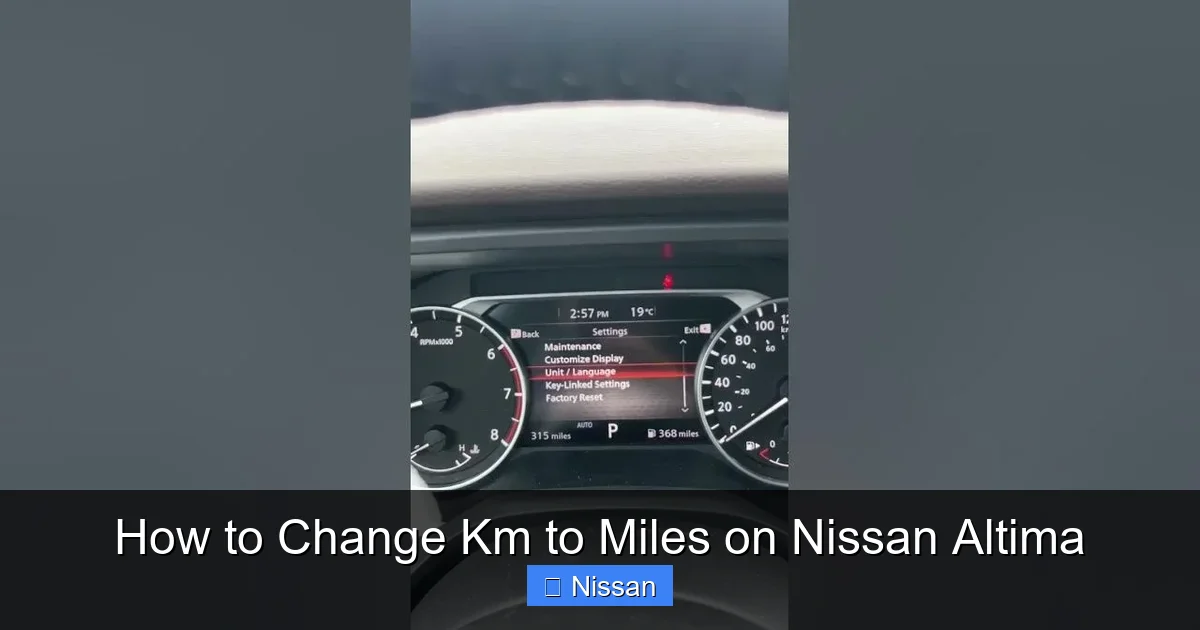
Changing km to miles on Nissan Altima is usually quick once you know where the settings are. Most models let you switch the display through the dash menu, steering wheel buttons, or infotainment screen. This guide walks you through the process, model differences, and what to do if the option does not show up.
How to Change Km to Miles on Nissan Altima
If you drive a Nissan Altima, you may notice that the dash shows kilometers instead of miles. This can happen if the car was imported, if the settings were changed by a previous owner, or if the vehicle was set for a market that uses metric units. The good news is that learning how to change km to miles on Nissan Altima is usually simple.
In most cases, you do not need tools. You do not need a mechanic either. You just need to find the right menu and switch the unit setting. The exact steps can change a little based on the model year and trim, but the idea is the same. Once you know where to look, the change takes only a few minutes.
In this guide, I will walk you through the process in a clear way. I will also explain what to do if your Altima does not seem to have the option, and how to avoid common mistakes. If you have ever felt stuck staring at the dash screen, this will help.
Key Takeaways
- Point 1: The km to miles setting on Nissan Altima is usually found in the vehicle display or settings menu.
- Point 2: Newer Altima models often use steering wheel buttons to change the unit display.
- Point 3: Some trims may show distance in the instrument cluster while the infotainment screen stays the same.
- Point 4: If you cannot find the option, the owner’s manual can help because menus vary by model year.
- Point 5: A battery reset or software issue can sometimes affect display settings, but this is not common.
- Point 6: Knowing how to change km to miles on Nissan Altima helps if you drive across borders or buy an imported car.
📑 Table of Contents
- Why Your Nissan Altima Shows Kilometers
- How to Change Km to Miles on Nissan Altima Using the Dash Menu
- How to Change Km to Miles on Nissan Altima by Model Type
- What to Do If You Cannot Find the Miles Setting
- Helpful Tips for a Smooth Unit Change
- Common Problems and Easy Fixes
- When to Ask for Help
- Conclusion
Why Your Nissan Altima Shows Kilometers
Imported vehicles and mixed settings
One common reason for needing to change km to miles on Nissan Altima is vehicle origin. If the car came from Canada, Europe, or another metric-based market, the display may default to kilometers. Even if you live in the United States, the dash can still show km if the settings were never updated.
Sometimes the opposite happens too. A car may show miles in one place and kilometers in another. That can be confusing at first, but it is usually just a setting issue. The system is not broken. It just needs the right unit selection.
Previous owner settings
If you bought a used Altima, the last owner may have changed the units. Some drivers prefer kilometers for travel or work. Others never notice the setting at all. That is why it is smart to check the display as soon as you get the car.
When you know how to change km to miles on Nissan Altima, you can make the dash easier to read right away. That helps with speed, trip distance, fuel use, and daily driving comfort.
How to Change Km to Miles on Nissan Altima Using the Dash Menu
Step 1: Turn the ignition on
Start by turning the car on or switching it to accessory mode. The display must be active before you can change the settings. On many Altima models, the unit option will not appear unless the screen is awake.
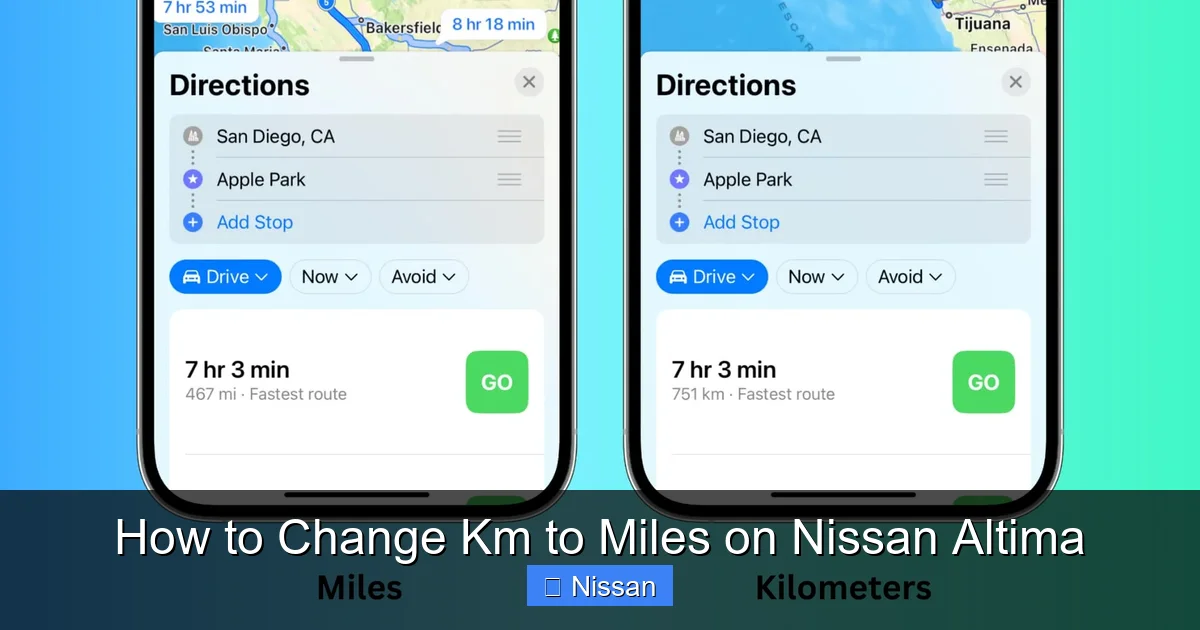
Visual guide about How to Change Km to Miles on Nissan Altima
Image source: media.idownloadblog.com
Step 2: Find the settings menu
Use the buttons on the steering wheel or the dash controls to open the main menu. Look for words like Settings, Display, Meter, or Vehicle Settings. The exact label depends on the model year.
On newer Altima models, the steering wheel arrows are often used to move through the menu. Press the enter or OK button to select the menu item. If you are not sure which button does what, move slowly and watch the screen.
Step 3: Select units or distance
Once in the settings area, look for an option named Units, Distance, or Measurement. This is where you can change km to miles on Nissan Altima. Choose miles or mi if that is your preferred setting.
Some Altima displays may also let you choose fuel economy units. For example, you may see L/100 km or mpg. If you want the whole display to match your driving style, check those settings too.
Step 4: Confirm and exit
After you select miles, confirm the change. Then exit the menu and look at the odometer or trip screen. It should now show miles instead of kilometers. If the change does not appear right away, turn the car off and back on once.
This is the most common method for how to change km to miles on Nissan Altima. It works on many model years, especially those with digital displays and steering wheel controls.
How to Change Km to Miles on Nissan Altima by Model Type
Older Altima models
Older Altima models may use a simpler instrument panel. In some cases, a small button on the gauge cluster controls the display. You may need to press and hold that button to open the settings. The unit option may be hidden inside a basic menu.
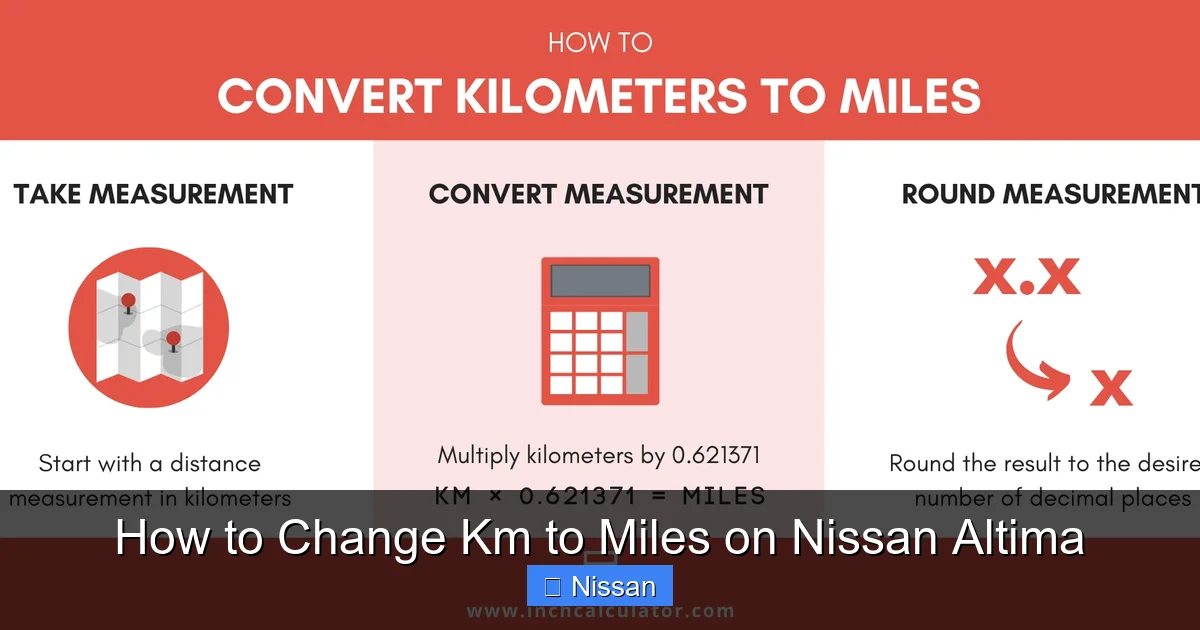
Visual guide about How to Change Km to Miles on Nissan Altima
Image source: inchcalculator.com
If your older Altima does not have a large screen, do not worry. The process is still possible. It may just take a little more button pressing. Check the owner’s manual if the menu names are not obvious.
Newer Altima models with digital screens
Newer Altima models often make things easier. You may have a digital driver display, a center screen, or both. In these cars, how to change km to miles on Nissan Altima often comes down to a few taps through the settings menu.
Some models even let you change the display language and unit format in the same place. If your Altima has a large infotainment screen, check both the driver display and the center screen. They may not always use the same menu.
Models with steering wheel controls
Many Nissan Altima trims use steering wheel buttons to manage the display. This is common and very useful. You can scroll through menus without reaching for the center console.
If you are unsure, press the left or right arrows and watch the display change. Then use the OK button to select the units menu. This is often the fastest way to change km to miles on Nissan Altima without guessing.
What to Do If You Cannot Find the Miles Setting
Check the owner’s manual
If the menu is not where you expect, the owner’s manual is the best next step. Nissan often changes menu names by year and trim. What is called Units in one model may be called Measurement in another.

Visual guide about How to Change Km to Miles on Nissan Altima
Image source: s1.cdn.autoevolution.com
The manual can save you a lot of time. It will show the exact button path for your Altima. If you do not have the paper copy, you can often find the manual online by model year.
Look in both display systems
Some Altima models have more than one screen. The dash display may show kilometers, while the infotainment screen uses a different setting. If one screen changes and the other does not, check the second menu.
This is a common reason people think the change did not work. In reality, the car may have separate unit settings. So when you change km to miles on Nissan Altima, make sure you check every display area.
Try a simple restart
If the menu seems stuck, turn the car off, wait a few seconds, and restart it. A quick reset can refresh the system. This is not a repair. It is just a simple way to make the display reload the current settings.
If that still does not help, the issue may be a software glitch. In that case, a dealer or qualified technician can check the system. But most of the time, the fix is simple and local to the menu.
Helpful Tips for a Smooth Unit Change
Make sure you are in park
Some vehicles limit menu changes while driving. For safety, it is best to make changes when the Altima is parked. That way, you can focus on the screen and avoid missing a step.
It also helps you take your time. You do not want to rush through the menu and select the wrong option by mistake.
Check speed and fuel units together
When you change km to miles on Nissan Altima, it is smart to check the rest of the measurement settings too. Speed, distance, and fuel economy should all make sense together. If one unit still looks wrong, adjust it in the same menu.
For example, if the odometer shows miles but fuel economy still shows liters per 100 km, the screen may feel mixed up. Matching the units makes the car easier to read at a glance.
Use the change as a quick dash check
Once you know how to change km to miles on Nissan Altima, take a moment to scan the whole display. Look at trip data, warning lights, and clock settings too. It is a good habit after any menu change.
If you enjoy learning simple car settings, you may also find guides like how to change the time on a Toyota Camry useful, since many dashboard menus work in a similar way. Another helpful read is how to change odometer from miles to kilometers in Toyota, which covers a similar unit switch in another brand. If you want more display-related help, see how to change home address on Toyota navigation.
Common Problems and Easy Fixes
The screen changed, but the odometer did not
This can happen if you changed only one part of the system. Some Altima models separate the trip display from other info screens. Go back into the menu and check for a second unit setting.
If the odometer still shows kilometers, the vehicle may have a locked regional setup. That is rare, but it can happen on imported cars.
The menu keeps going back
If the menu closes before you finish, try using the buttons more slowly. Some systems time out if you wait too long between steps. A calm, steady pace usually solves this.
Also make sure your finger is pressing the correct button. Steering wheel controls can feel small at first, especially if you are not used to them.
Nothing happens when you press the buttons
If the buttons do not respond, the issue may be simple. The car may not be fully on, or the display may be asleep. Try switching to accessory mode or restarting the vehicle.
If the buttons still do nothing, there may be a deeper electrical or software problem. In that case, a dealer visit may be needed. But again, this is not the usual outcome when you change km to miles on Nissan Altima.
When to Ask for Help
After a battery replacement
Sometimes settings act strange after a battery change. The display may reset, or the menu may return to default values. If that happens, just go back and set the units again.
If the system seems unstable after a battery service, ask a technician to check it. They can confirm whether the car needs a software reset.
If your Altima is an imported model
Imported vehicles can be a little different. The unit settings may be limited by the market the car was built for. In that case, how to change km to miles on Nissan Altima may depend on the exact trim and software version.
A Nissan dealer or an experienced shop can tell you if the change is fully supported. They can also help if the display language and unit format are tied together.
If the manual does not match the car
Sometimes the wrong manual gets downloaded, or the car has features that differ from the guide. If the steps do not match your dash, double-check the model year and trim. Small changes can make a big difference.
When in doubt, take a photo of the display and bring it to a professional. That makes it easier to explain the problem.
Conclusion
Learning how to change km to miles on Nissan Altima is one of those small tasks that makes daily driving much easier. Once the display matches the way you read distance and speed, the car feels more natural and less confusing. Most drivers can do it in just a few minutes using the dash menu or steering wheel controls.
If your Altima does not respond right away, do not panic. Check the manual, look through both display systems, and restart the car if needed. In most cases, the fix is simple. And once you know the steps, you can change the units anytime with confidence.
So the next time your Altima shows kilometers, you will know exactly what to do. A few button presses, a quick menu check, and your display will be set the way you want it.
Frequently Asked Questions
How do I change km to miles on Nissan Altima?
Open the vehicle settings on the dash or steering wheel display, then look for Units, Distance, or Measurement. Select miles and confirm the change.
Why does my Nissan Altima show kilometers instead of miles?
Your Altima may have been imported from a metric market, or a previous owner may have changed the settings. It is usually a display setting, not a mechanical problem.
Can I change km to miles on Nissan Altima while driving?
It is better to do it while parked. Some menus also limit changes while the vehicle is moving for safety reasons.
What if my Altima does not have a units menu?
Check the owner’s manual because menu names can vary by model year and trim. If you still cannot find it, the car may have a different display setup or a regional lock.
Will changing km to miles affect the odometer reading?
No, it only changes how the numbers are shown. The actual distance the car has traveled stays the same.
Do all Nissan Altima models change units the same way?
No, the steps can vary by year and trim. Newer models often use digital menus, while older ones may use buttons on the gauge cluster.


