Car Mobile Holder with Wireless Charger
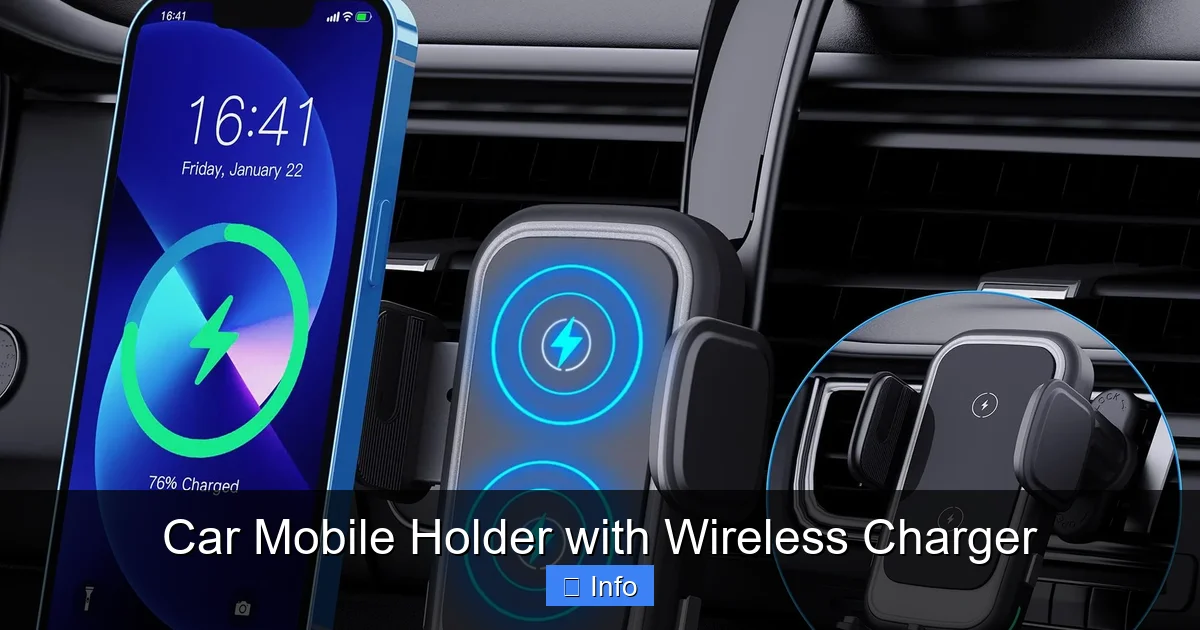
A car mobile holder with wireless charger keeps your phone steady and powered while you drive. It combines a secure mount with Qi wireless charging so you can navigate hands-free without fumbling for cables. Ideal for daily commutes and road trips, this simple upgrade makes every journey safer and more convenient.
Car Mobile Holder with Wireless Charger
Picture this. You are driving to a new restaurant, and your phone is sliding around the cup holder. The map keeps cutting out because your battery is at five percent. You try to plug in a cable, but the cord tangles around the gear shift. It is stressful, and it takes your eyes off the road.
A car mobile holder with wireless charger solves all of that. It holds your phone in one steady spot and charges it without any cords. You just place the phone in the mount, and it starts powering up while you drive. It is one of those small upgrades that makes every trip feel easier.
In this article, we will explain what a car mobile holder with wireless charger is, why it is worth buying, and how to pick the right one. We will also cover installation tips and safety practices so you can drive with confidence.
Key Takeaways
- Hands-free convenience: A car mobile holder with wireless charger lets you use GPS and answer calls without touching your phone.
- Cable-free charging: Qi wireless technology charges your phone simply by placing it in the holder, no messy cords needed.
- Multiple mount types: Choose from dashboard, windshield, air vent, or CD slot mounts based on your car’s interior.
- Safety first: Keeping your phone at eye level reduces distractions and helps you focus on the road ahead.
- Compatibility matters: Check that your phone supports wireless charging and fits the holder’s cradle before buying.
- Easy installation: Most models clip or stick into place in minutes, with no tools required.
📑 Table of Contents
What Is a Car Mobile Holder with Wireless Charger?
A car mobile holder with wireless charger is a device that combines a phone mount with a wireless charging pad. It sits in your vehicle and keeps your handset secure. At the same time, it sends power to your phone using Qi wireless technology.
Inside the holder, there is a charging coil. Your phone has a matching coil. When you set the phone in the cradle, the two coils line up and energy transfers through a magnetic field. Many models include infrared sensors that detect the phone and trigger auto-clamping arms to grip it gently.
The result is a hands-free setup. Your screen stays visible for navigation, and your battery level goes up instead of down. You do not need to fiddle with cables every time you get in or out of the car.
These holders are built for different car interiors. Some rest on the dashboard. Others attach to the windshield or clip onto an air vent. There are even magnetic versions that let you snap your phone into place with one hand.
Choosing the right car mobile holder with wireless charger starts with understanding how it fits your daily routine. If you want a dependable foundation, it helps to start with a high-quality car phone holder and then look for one that includes wireless charging.
Why Every Driver Needs This Upgrade
You might ask whether you really need a dedicated holder with charging built in. After all, you can just set your phone in the center console. But that habit creates real risks and frustrations.
Stay Focused on the Road
Glancing down at your lap to read a map takes your eyes away from traffic. Even a two-second distraction can lead to an accident. A car mobile holder with wireless charger keeps your phone at eye level. You can check directions with a quick glance and keep both hands on the wheel.
Never Run Out of Battery
Navigation apps, music streaming, and Bluetooth calls drain power fast. On a long road trip, your phone can die before you reach your destination. With wireless charging in the mount, your device gains power while you drive. You will arrive with a full battery instead of a dead screen and no way to call for help.
Follow Hands-Free Laws
Many states and countries have strict rules against holding a phone while driving. A secure mount helps you stay on the right side of the law. You can use voice commands or answer through your car’s speaker without ever picking up the device.
Great for Rideshare and Delivery Drivers
If you drive for Uber, Lyft, or a delivery service, your phone is your office. A car mobile holder with wireless charger keeps the app visible and the battery topped up between stops. It makes your workday smoother and more professional.
Common Mounting Styles Explained
Every car interior is different. The best mounting style depends on your dashboard shape, vent type, and where you like to look while driving.
Dashboard Mounts
Dashboard mounts sit on a flat surface near the windshield. They usually use a strong adhesive base or a suction cup with a dashboard pad. These are very stable and keep your phone within easy reach. Just make sure the mount does not block your view of the road or interfere with the airbag.
Windshield Suction Cups
Windshield mounts attach directly to the glass. They offer a high viewing angle that some drivers prefer. However, suction cups can lose grip in extreme heat or freezing cold. Also, some regions restrict windshield mounts, so check your local laws before installing one.
Air Vent Clips
Air vent mounts clip onto your car’s air conditioning vents. They are easy to install and remove, which makes them great for rental cars. The downside is that they can block airflow, and not all vent shapes are compatible. Circular or irregular vents may not hold the clip securely.
CD Slot Mounts
If your car still has a CD player, a CD slot mount is an excellent choice. It slides into the slot and stays put without adhesives or suction. It does not block your view, and it leaves your air vents free. The only downside is that you cannot use the CD player while the mount is installed.
Magnetic Options
Magnetic holders use a small metal plate on your phone or case. The phone snaps onto the mount with a strong magnet. This makes docking and undocking very fast. Some magnetic models also include wireless charging, giving you the best of both worlds. For more on this style, check out our guide on the magnetic wireless charger for car options.
Features That Matter Most
When shopping for a car mobile holder with wireless charger, not all features are created equal. Focus on the details that affect daily use.
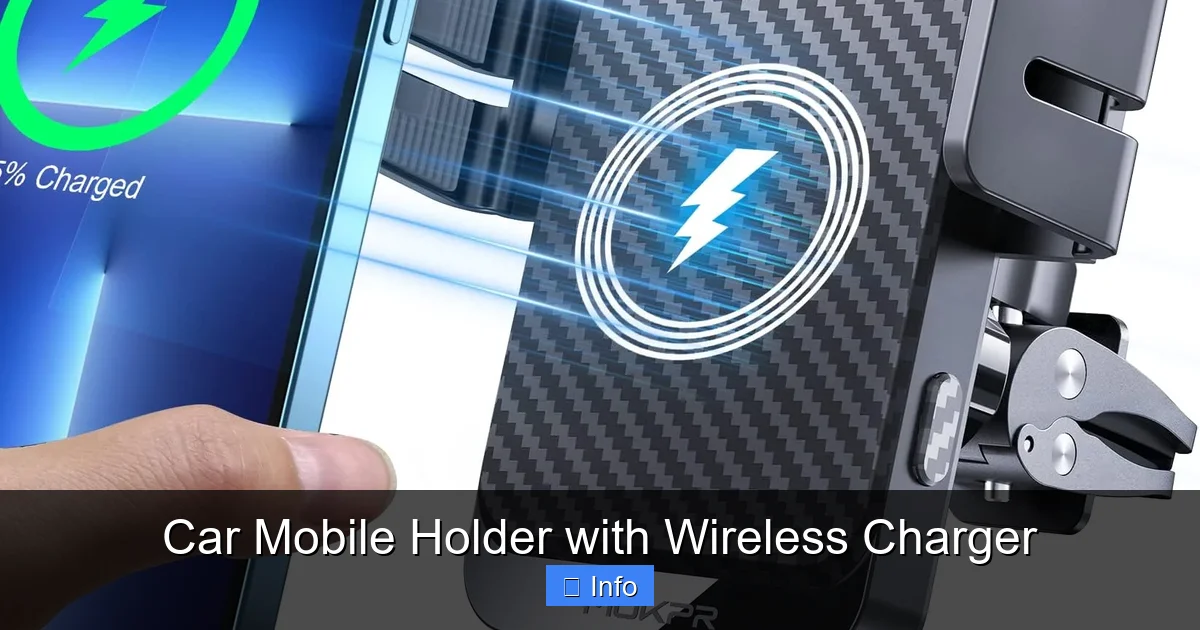
Visual guide about Car Mobile Holder with Wireless Charger
Image source: m.media-amazon.com
Charging Speed and Power Output
Wireless chargers come in different wattages. A 5-watt charger works, but it is slow. A 10-watt or 15-watt charger powers up your phone much faster. If you use your phone heavily for navigation, look for a model that supports at least 10 watts. Faster charging means you spend less time worrying about battery percentage.
You can also read about the fast wireless charger for car models if speed is your top priority.
Phone Size and Case Compatibility
Make sure the holder fits your phone model. Some cradles are adjustable, while others are fixed. Also, check if the charger works through phone cases. Most wireless chargers handle thin cases, but thick rugged cases might block the connection. If you use a wallet case with cards in the back, wireless charging may not work at all.
Auto-Clamping vs Manual Cradles
Auto-clamping holders use motors to close around your phone. They feel premium and save time. Manual cradles require you to adjust the arms yourself. Both work well, but auto-clamping is more convenient if you enter and exit the car often.
Foreign Object Detection
Good wireless chargers include foreign object detection. If you accidentally leave a coin or key in the holder, the charger will shut off instead of overheating. This protects both your phone and your car’s electrical system.
Heat Management and Build Quality
Wireless charging generates heat. A good holder has vents or cooling fans to prevent overheating. Look for sturdy materials like aluminum or reinforced plastic. Cheap models may wobble or break after a few months, especially on bumpy roads.
LED Indicators
Some holders have small LED lights that show charging status. A green light might mean full power, while blue means charging. These indicators are helpful at night when you cannot easily glance at your phone’s battery icon.
Price Range and Warranty
You do not need to spend a fortune. Basic models start around twenty dollars, while premium auto-clamping units with cooling fans can cost fifty or more. Look for a warranty of at least one year. A good warranty shows the manufacturer stands behind the product.
How to Install and Use It Safely
Installing a car mobile holder with wireless charger is usually straightforward. But a few best practices will make it work better and last longer.
Picking the Right Spot
Choose a location where you can see the screen without turning your head too far. The passenger side of the dashboard often works well. Avoid spots that block airbags, important controls, or your view of the road.
Cleaning the Surface
If you use an adhesive or suction mount, clean the area first. Dust and oils can prevent a strong bond. Wipe the dashboard or windshield with a little rubbing alcohol and let it dry completely before attaching the holder.
Connecting the Power Cable
Most holders plug into your car’s cigarette lighter or USB port. Route the cable neatly so it does not interfere with gear shifts or pedals. Use cable clips if needed to keep wires out of the way.
Testing Before You Drive
Place your phone in the holder and give it a gentle shake. Make sure it does not wobble or fall. Start the car and confirm that charging begins. Adjust the angle so you can see maps clearly without straining.
Troubleshooting Common Issues
If your phone does not charge, first check the cable connection. Then remove thick cases or metal plates that might block the coil. If the holder feels hot, stop using it and look for a model with better cooling. If the phone keeps slipping, clean the rubber grips with a damp cloth.
Seasonal Care
In summer, dashboard temperatures can soar. Avoid leaving your phone in direct sunlight for hours, even with a holder. In winter, suction cups may lose grip in the cold. A dashboard mount with adhesive often works better year-round.
Conclusion
A car mobile holder with wireless charger is one of the simplest upgrades you can make to your vehicle. It keeps your phone secure, your battery charged, and your attention on the road. Whether you prefer a dashboard mount, an air vent clip, a CD slot holder, or a magnetic snap, there is a style that fits your car and your habits.
Take a moment to check your phone’s wireless charging compatibility and measure your dashboard space. Then pick a holder with solid build quality and enough charging speed for your needs. Once it is installed, you will wonder how you ever drove without it.
Safe travels, and enjoy the convenience of hands-free navigation and power on every trip.
Frequently Asked Questions
Does a car mobile holder with wireless charger work with all phones?
It works with any phone that supports Qi wireless charging. Most modern iPhones and Android devices do, but older models may not.
Can I use a car mobile holder with wireless charger with a phone case?
Yes, most holders work with thin cases. Thick or metal cases may block the charging connection, so check compatibility before buying.
How fast does wireless charging work in a car holder?
Speed depends on the wattage. A 10-watt or 15-watt model charges much faster than a basic 5-watt charger, especially during navigation.
Is it legal to use a phone holder while driving?
Using a mounted phone is generally legal and encouraged, as long as you do not hold the device in your hand. Check your local hands-free laws for specifics.
Will the holder damage my dashboard or air vent?
Quality holders use non-scratch pads and gentle clips. Avoid cheap models with rough edges, and clean the surface before applying adhesive mounts.
Can I leave the holder plugged in all the time?
Yes, most car holders draw power only when the car is on or when a phone is present. It is safe to leave connected, but unplugging it during long storage is a good habit.