
Mahindra Finance Car Loan Calculator
The Mahindra Finance Car Loan Calculator helps you quickly estimate monthly EMIs based on loan amount, tenure, and interest rate. It also shows total interest payable and allows you to compare different scenarios before you commit.
Key Takeaways
- Instant EMI estimate: Enter loan amount, tenure, and rate to see your monthly payment instantly.
- Total cost visibility: The tool breaks down principal, interest, and total payable amount.
- Flexible tenure options: Test short and long tenures to find a comfortable repayment plan.
- Comparison ready: Run multiple calculations side by side to compare offers from different lenders.
- Pre‑qualification insight: Use the results to gauge eligibility before applying formally.
- Mobile friendly: Access the calculator on any device for on‑the‑go planning.
- Free and no‑obligation: No sign‑up required; just input numbers and get results.
📑 Table of Contents
Why a Car Loan Calculator Matters
Buying a car is a big financial decision. You want to know exactly how much you will pay each month and how much interest will add up over the life of the loan. A good calculator removes guesswork and gives you a clear picture. The Mahindra Finance Car Loan Calculator does exactly that. It takes a few simple inputs and returns a detailed breakdown in seconds.
Many buyers skip this step and rely on dealer quotes alone. That can lead to surprises later. By using the calculator early, you can negotiate better, choose the right tenure, and avoid stretching your budget too thin. It also helps you compare the Mahindra Finance offer with other lenders side by side.
How the Mahindra Finance Car Loan Calculator Works
Input Fields You Need
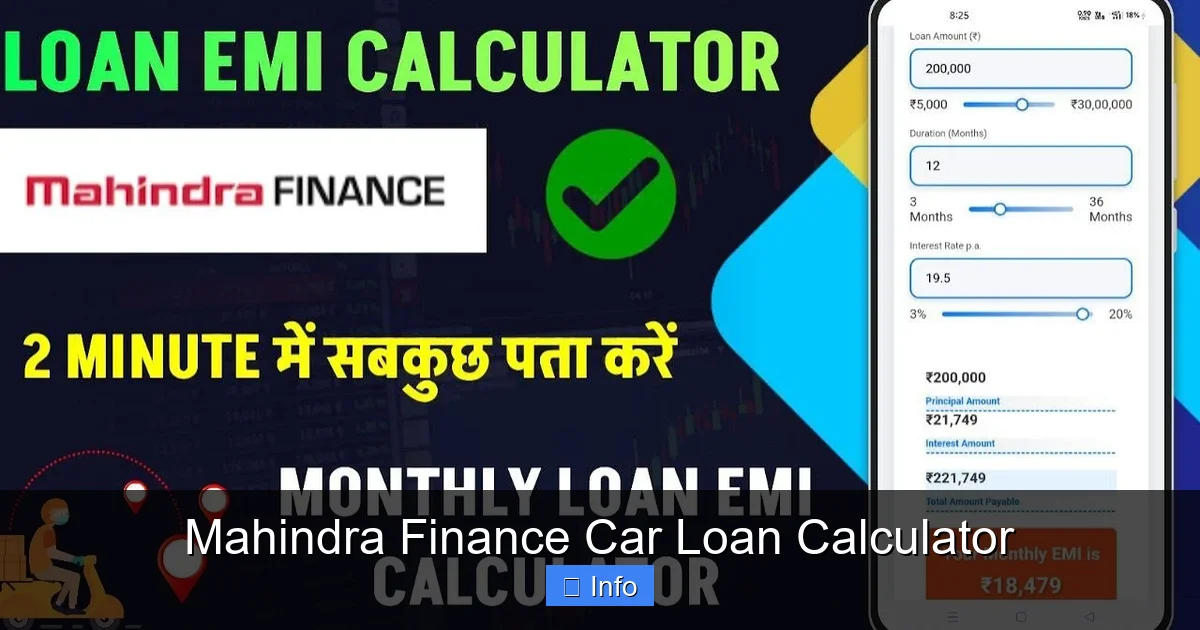
The calculator asks for three core numbers:
Visual guide about Mahindra Finance Car Loan Calculator
Image source: i.ytimg.com
- Loan Amount: The price of the car minus any down payment.
- Interest Rate: The annual rate offered by Mahindra Finance. You can find the latest rates on their official page or check our guide on Mahindra Finance car loan interest rates.
- Tenure: Repayment period in months, typically 12 to 84 months.
Once you fill these, the tool instantly computes the Equated Monthly Installment (EMI), total interest, and total amount payable.
Understanding the Output
The results screen shows:
- Monthly EMI: Fixed amount you pay each month.
- Total Interest Payable: How much extra you pay over the principal.
- Total Payment: Principal plus interest.
- Amortization Schedule (optional): A month‑by‑month breakdown of principal and interest components.
This transparency helps you see the impact of a longer tenure. A longer term lowers the EMI but raises total interest. A shorter term does the opposite.
Practical Example: Buying a Mahindra Bolero
Scenario Setup
Assume you want a Mahindra Bolero priced at ₹9.5 lakh. You plan a down payment of ₹2 lakh, so the loan amount is ₹7.5 lakh. Mahindra Finance offers 9.5% per annum for a 60‑month tenure.

Visual guide about Mahindra Finance Car Loan Calculator
Image source: i.ytimg.com
Calculator Walkthrough
Enter ₹7,50,000 as loan amount, 9.5% as interest rate, and 60 months as tenure. The Mahindra Finance Car Loan Calculator returns:
- Monthly EMI: ₹15,800 (approx.)
- Total Interest: ₹2,48,000
- Total Payment: ₹9,98,000
If you stretch the tenure to 72 months, the EMI drops to ₹13,600 but total interest climbs to ₹3,00,000. This trade‑off is exactly what the calculator reveals.
Comparing with Other Lenders
You can run the same numbers for a competing bank. For instance, the Sundaram Finance EMI calculator might show a slightly lower rate. Or you could check the Union Bank of India car loan calculator for another benchmark. Having multiple data points strengthens your negotiation power.
Tips to Get the Best Results from the Calculator
Use Accurate Interest Rates
Rates vary by credit score, vehicle type, and promotional offers. Always pull the latest rate from the lender’s website or a trusted aggregator. Even a 0.25% difference changes the EMI noticeably over a long tenure.

Visual guide about Mahindra Finance Car Loan Calculator
Image source: i.ytimg.com
Factor in Processing Fees and Insurance
The basic calculator covers principal and interest only. Add processing fees (usually 0.5%–1% of loan) and mandatory insurance premiums to get a true cost picture. Some advanced calculators let you include these as lump‑sum additions.
Test Multiple Tenures
Don’t settle on the first tenure you see. Run 36, 48, 60, and 72 months. Observe how EMI and total interest move. Choose a tenure where the EMI fits comfortably within 15%–20% of your net monthly income.
Consider Prepayment Options
Mahindra Finance often allows part‑prepayment without penalty after a certain period. If you expect a bonus or salary hike, a longer tenure with prepayment flexibility can be smarter than a short tenure with higher EMI.
Common Mistakes to Avoid
Ignoring the Total Cost
Many buyers focus only on the monthly EMI. A low EMI over a very long term can cost you lakhs more in interest. Always check the total payable figure.
Overestimating Down Payment
Putting a larger down payment reduces the loan amount and interest. But draining your savings can leave you vulnerable to emergencies. Keep at least 3–6 months of expenses as a buffer.
Not Checking Eligibility First
The calculator assumes you qualify for the entered rate. In reality, your credit profile may attract a higher rate. Use the tool as a planning aid, then get a formal quote.
Forgetting to Compare
Even if you prefer Mahindra Finance, compare at least two other lenders. A small rate difference can save you thousands over the loan life.
Advanced Features You Might Find Useful
Amortization Schedule Export
Some versions of the calculator let you download the full schedule as a PDF or Excel file. This is handy for tax planning or sharing with a financial advisor.
What‑If Scenarios
Adjust the interest rate up or down by 0.5% to see how sensitive your EMI is to rate changes. This stress‑test prepares you for potential rate hikes if you opt for a floating rate loan.
Integration with Car Price Databases
Newer tools pull the on‑road price of popular models automatically. You just select the variant, and the loan amount field fills itself. This reduces manual entry errors.
Conclusion
The Mahindra Finance Car Loan Calculator is a simple yet powerful ally in your car‑buying journey. It turns abstract numbers into concrete monthly commitments, total interest, and overall affordability. By spending a few minutes on the calculator, you avoid unpleasant surprises, negotiate from a position of knowledge, and choose a loan structure that matches your financial comfort zone.
Remember to feed it accurate rates, test several tenures, and always compare with at least one alternative lender. Pair the calculator results with a realistic budget, a healthy down payment, and an emergency fund. That combination puts you in the driver’s seat — financially speaking — long before you turn the key in your new car.
Frequently Asked Questions
What inputs does the Mahindra Finance Car Loan Calculator require?
The calculator needs the loan amount, annual interest rate, and repayment tenure in months. Optional fields may include processing fees and insurance costs for a more complete picture.
Can I use the calculator for used cars?
Yes. Enter the loan amount you need for the used vehicle, the applicable interest rate for pre‑owned cars, and your desired tenure. The tool works the same way.
Does the calculator show an amortization schedule?
Many versions provide a month‑by‑month breakdown of principal and interest components. Check for a “View Schedule” or “Download” button after calculation.
Is the EMI figure final or indicative?
The EMI shown is indicative based on the inputs you provide. The final EMI may vary slightly due to rounding, exact disbursement date, or any additional charges levied by the lender.
How often are interest rates updated in the calculator?
Reputable calculators pull the latest rates from the lender’s official sources. However, always verify the current rate on the Mahindra Finance website before making a decision.
Can I compare multiple loan offers side by side?
Some advanced calculators let you save multiple scenarios and view them together. If not, simply run the calculation for each offer and note the results manually for comparison.


