
National Insurance Car Policy Download
Looking to download your national insurance car policy quickly? This guide walks you through each step, offers helpful tips, and answers common questions so you can get your policy PDF in minutes.
Key Takeaways
- Download instantly: Access your national insurance car policy PDF anytime from any device.
- Save and share: Store the file securely and share it with service centres, police or claim officers.
- Stay updated: Download a fresh copy after every renewal to keep coverage current.
- Fix common issues: Login problems, file format errors and slow internet are easy to resolve.
- Benefits of digital: Faster claims, secure backup, cost savings and easy comparison of plans.
- Regular maintenance: Update personal details, use strong passwords and review new offers before renewing.
📑 Table of Contents
- Understanding National Insurance Car Policy
- Why You Need to Download Your National Insurance Car Policy
- Step‑by‑Step Guide to Download National Insurance Car Policy
- Common Issues While Downloading and How to Fix Them
- Benefits of Having Your Policy Digitally
- Tips for Maintaining Your Online Policy
- Final Thoughts
Understanding National Insurance Car Policy
What Does a National Insurance Car Policy Cover?
A national insurance car policy is a contract that protects you financially if something goes wrong with your vehicle. The main parts are third‑party liability, own‑damage cover and personal accident cover. Third‑party liability pays for damage you cause to other people, their cars or property. Own‑damage cover pays for repairs to your own car after an accident. Personal accident cover gives a lump sum if you are seriously injured or die. Some policies add extras like engine protection, zero depreciation or roadside assistance. The policy also shows a no‑claim bonus, which can lower your premium up to 50% after five claim‑free years. Knowing these details helps you pick the right plan and understand the benefits when you download the PDF.
When you need to file a claim, the policy PDF contains the claim registration number and the insurer’s contact details. You can quote this number when you call the helpline, which speeds up the investigation. The document also lists the cover limits for each section, so you know exactly what is covered and what you might have to pay out of pocket.
Why Download the Policy?
A digital copy of your national insurance car policy gives you instant access from any device. No more rummaging through old paperwork in the glove box. You can view it on your phone while waiting at a repair shop, or on a laptop when you are filing a claim online. The PDF is easy to share with a service centre, a police officer or an insurance clerk. It also reduces the risk of losing the document due to fire, water or wear. Most insurers let you download a fresh copy each time you renew, so you always have the latest terms. In short, a digital policy is more convenient, secure and up‑to‑date than a printed one.
If you also need to download a SBI general car insurance policy, see our guide on SBI General Car Insurance Policy Download. This shows that the process is similar across many insurers.
Why You Need to Download Your National Insurance Car Policy
Convenience and Immediate Access
Having the policy on your phone means you can pull it up in seconds. Whether you are stuck in traffic or at a garage, the document is right there. You no longer need a paper copy that can tear, get wet or be misplaced. The digital version updates automatically when the insurer changes the premium or coverage. This means you always see the current premium, limits and expiry date without waiting for a renewal notice.
Proof for Claims and Renewals
When you file a claim, the insurer asks for proof of cover. A PDF of your national insurance car policy serves as instant proof. You can email it, upload it to the claim portal or show it on your screen. This speeds up verification and reduces the chance of claim rejection. A PDF is considered a legal document in most courts. It carries a digital timestamp that proves when you received the policy, which is useful if there is a dispute about cover dates or premium amounts. For renewals, the policy tells you exactly when your cover ends. You can set a reminder and download a new copy before the old one expires, avoiding a lapse in protection.
For renewal details, check our National Insurance Car Insurance Renewal page. It shows how to extend your cover without losing protection and how to download the renewed policy.
Step‑by‑Step Guide to Download National Insurance Car Policy
Visit the Official National Insurance Portal
Open your web browser and go to the official National Insurance website (https://www.nationalinsurance.com). Make sure the address starts with https and shows a padlock icon for security. Avoid clicking links from unsolicited emails that may lead to fake sites. Once the homepage loads, look for the “My Account” or “Policy” section at the top of the page. Bookmark the page for easy access in the future.
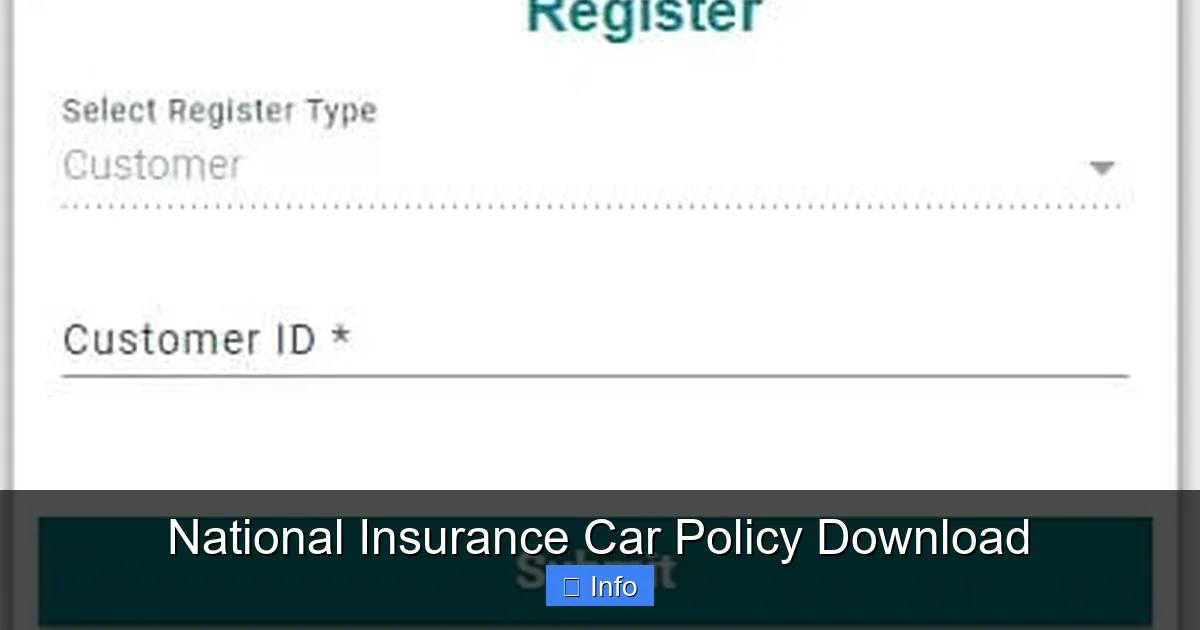
Visual guide about National Insurance Car Policy Download
Image source: probusinsurance.com
Log In to Your Account
Use the username and password you created when you first bought the policy. If you have forgotten them, click the “Forgot Password” link and follow the instructions sent to your email or phone. If you have two‑factor authentication enabled, you will receive a verification code; enter it to complete login. This extra step protects your account from unauthorized access. If you have multiple policies, the dashboard will show a dropdown to select the right car; choose the correct policy before proceeding.
Locate Your Policy Document
After logging in, you will see a dashboard that lists all your active policies. Find the car you want to download the policy for – it will show the registration number, model and year. Click on the policy number or the “View Details” button. A new page opens with tabs such as “Details”, “Claims”, “Renewal” and “Download”. Choose the “Download” tab.
Download and Save the PDF
On the download page you will see a button labeled “Download PDF” or “Policy Document”. Click it. The file will either open in a new browser tab or start downloading automatically to your default folder. If it opens in the browser, click the download icon in the toolbar. On a mobile device, the file may open in a PDF viewer; tap the share icon and choose “Save to Files”. Save the file in a folder you can easily find, such as “Insurance” on your computer or phone. Rename the file with your car’s registration number for quick reference. After downloading, open the file and check that all pages are present; some policies have multiple pages, so keep the complete document.
Learn About Return to Invoice Cover
If you want extra protection for the full value of your car after a total loss, read our What Is Return To Invoice In Car Insurance article. It explains how this add‑on works and whether it is worth the extra cost.
Common Issues While Downloading and How to Fix Them
Login Problems
Sometimes the login page does not accept your credentials. This can happen if you typed the wrong password, your account is temporarily locked, or the password reset email has not arrived. Clear your browser cache, try a different browser, or use the “Forgot Username” link if you cannot remember your username. If the problem persists, contact National Insurance support through the helpline or live chat.
Visual guide about National Insurance Car Policy Download
Image source: policybachat.com
File Format Compatibility
The portal usually offers a PDF, but some older devices may have trouble opening large files. If the PDF fails to load, try installing a PDF reader such as Adobe Acrobat Reader, or use an online PDF viewer. You can also download a smaller version if the portal offers one. Make sure your device’s software is up to date.
Slow Internet Connection
A slow connection can interrupt the download and leave a corrupted file. Pause the download, wait a few minutes, then resume. You can also try downloading on a faster network such as home Wi‑Fi. Alternatively, the insurer’s mobile app often provides a more efficient download method and lets you pause and resume without losing progress. If the download keeps failing, try clearing your browser’s temporary files or using a different device; sometimes the issue is on the server side, so checking the insurer’s status page can help.
Benefits of Having Your Policy Digitally
Easy Sharing with Service Centres
A digital policy can be sent instantly via email, WhatsApp or any messaging app. Service centres can view it on a tablet or phone, verify coverage and start repairs without waiting for you to bring a paper copy. This speeds up the process and reduces misunderstandings.
Secure Backup and Retrieval
Digital files are easier to back up. Upload the PDF to a secure cloud service like Google Drive, iCloud or OneDrive and enable automatic sync. If your phone is lost or damaged, you can retrieve the policy from the cloud. This adds a layer of protection against loss or theft of the device.
Cost and Time Savings
You save money on printing and courier fees. You also avoid the time spent searching for a misplaced document. With a few clicks you have the policy ready for any situation, whether it is a claim, a renewal reminder or a request from a police officer. You also reduce the risk of misplacing a paper copy, which can cause delays in claim settlement. A digital record ensures you always have the latest version, even if the insurer updates the policy terms.
Tips for Maintaining Your Online Policy
Regularly Update Your Policy Details
Your car’s registration number, address or driving habits may change. Log in every six months and verify that the insurer’s records are correct. Updating these details ensures you receive accurate premium quotes and prevents claim rejections.
Protect Your Account with Strong Passwords
Use a unique password that mixes letters, numbers and symbols. Avoid simple sequences like “123456” or your birthdate. Enable two‑factor authentication if the portal offers it. This prevents unauthorized access and keeps your policy safe. Regularly review active sessions on your account; log out from any device you no longer use.
Compare Plans Before Renewing
Before your policy expires, compare new offers from other insurers. Look at the premium, coverage limits and claim settlement ratio. If you find a better deal, you can switch and download the new policy document. This habit helps you stay protected while paying the best price. Check the claim settlement ratio of the new insurer; a higher ratio means they settle more claims, which is beneficial for you.
Final Thoughts
Downloading your national insurance car policy is a quick, hassle‑free process that brings many benefits. You gain instant access, easier claim filing, secure backup and the ability to compare plans before renewing. Follow the step‑by‑step guide, watch out for common issues, and keep your digital copy up to date. For renewal details, visit our National Insurance Car Insurance Renewal page. To learn about extra covers such as Return to Invoice, see our What Is Return To Invoice In Car Insurance guide. By keeping your policy online, you protect yourself and make insurance work for you, not the other way around.
Frequently Asked Questions
How do I download my national insurance car policy?
Log in to the official National Insurance portal, locate your car’s policy, click the “Download PDF” button and save the file to a secure location on your device.
Can I download the policy on my mobile phone?
Yes. The portal is mobile‑friendly; after logging in, tap the download button and the PDF will save to your phone’s storage or cloud folder.
What should I do if the download fails?
First, check your internet connection and try again. Clear your browser cache, use a different browser, or try the download on a desktop. If it still fails, contact the insurer’s support team for assistance.
Is the downloaded PDF a legal proof of cover?
Yes. A PDF from the official portal is considered a legal document and carries a digital timestamp that can be presented as proof in claims or legal matters.
Do I need to download a new policy after every renewal?
Yes. Renewing creates a new version of the policy. Download the latest PDF after each renewal to ensure you have the current coverage details.
Can I store my national insurance car policy in the cloud?
Absolutely. Upload the PDF to a secure cloud storage service and enable automatic backup so you can access it from any device.


