
Nissan Rogue Clicking Noise When Turning
Nissan Rogue clicking noise when turning is often a sign of a worn CV joint, damaged axle, or another steering or suspension issue. Some causes are simple, like low tire pressure or a loose wheel cover, while others need quick repair to avoid bigger damage.
Nissan Rogue Clicking Noise When Turning
If you hear a Nissan Rogue clicking noise when turning, it can be annoying fast. It can also make you worry that something is about to fail. The good news is that this sound usually has a few common causes. Some are minor. Some need quick repair. The key is to figure out when the noise happens and where it seems to come from.
A Nissan Rogue clicking noise when turning often shows up at low speeds, in parking lots, or during sharp turns. That is a big clue. It can point to a worn CV joint, a loose part in the wheel area, or even a tire issue. If you know what to look for, you can narrow it down before the problem gets worse.
In this guide, we will break down the likely causes, how to check them, and when to get help. We will keep it simple and practical. If your Rogue makes a Nissan Rogue clicking noise when turning, this article will help you understand what is going on and what to do next.
Key Takeaways
- Point 1: A Nissan Rogue clicking noise when turning is often linked to the CV axle, especially if the sound gets louder on sharp turns.
- Point 2: Tire issues, loose lug nuts, or a damaged wheel cover can also cause a clicking sound that seems to come from the front end.
- Point 3: If the noise changes with speed or steering angle, the problem is likely in the drivetrain, suspension, or brake area.
- Point 4: Catching the issue early can help you avoid more costly repairs, like a failed axle or extra tire wear.
- Point 5: A simple driveway check can help you rule out easy fixes before visiting a mechanic.
- Point 6: If you hear grinding, feel vibration, or notice steering changes, stop driving and get the Rogue inspected soon.
- Point 7: Regular maintenance, like tire care and suspension checks, can lower the chance of a Nissan Rogue clicking noise when turning.
📑 Table of Contents
What the Clicking Noise Usually Means
Clicking is often tied to movement
A Nissan Rogue clicking noise when turning usually means one part is moving in a way it should not. Turning puts stress on the front wheels, axle shafts, and suspension parts. That extra load can make a worn or loose part make noise.
If the sound happens only while turning, that is important. If it happens all the time, the cause may be different. A Nissan Rogue clicking noise when turning is often linked to parts that flex, spin, or shift under steering load.
Where the sound seems to come from matters
Try to notice if the noise comes from the front left, front right, or under the car. A sound from one side can point to that corner of the vehicle. If it sounds like it is coming from both sides, the issue may be more general, like tire rub or a loose shield.
Sometimes the sound is not really from the steering system at all. It may be from a loose wheel cover, a rock stuck in the tire tread, or a brake part that shifts when the wheel turns. That is why a careful check helps.
Common Causes of a Nissan Rogue Clicking Noise When Turning
Worn CV joint or CV axle
This is the most common reason for a Nissan Rogue clicking noise when turning. The CV joint lets the front wheels move and steer at the same time. When it wears out, it can click, pop, or snap during turns, especially at low speed.
Visual guide about Nissan Rogue Clicking Noise When Turning
Image source: i.ytimg.com
You may hear the sound more when turning hard left or hard right. It may also get louder as you accelerate through the turn. If the CV boot is torn, grease can leak out and dirt can get in. That speeds up wear. This is one of the first things a mechanic will check.
Loose or damaged wheel cover
Some Rogue models use wheel covers or trim pieces that can loosen over time. If one is cracked or not clipped in well, it may click as the wheel turns or as air moves around it. This sound can be light and fast, which makes it easy to confuse with a driveline problem.
Look closely at the wheel area. If a cover is loose, bent, or rubbing against the tire, that may be your Nissan Rogue clicking noise when turning. This is an easier fix than an axle issue.
Tire rubbing or uneven tire wear
Bad tire fitment, low pressure, or worn suspension parts can let a tire rub against the inner fender liner. That can make a clicking or ticking sound during turns. Uneven tire wear can also create odd noises that seem to happen only while steering.
If you recently changed tires, check the size and clearance. If the noise started after tire work, the tires or wheel setup may be part of the problem. This is also a good time to review tire condition. If you are comparing replacement options, our guide to the best all season tires for Nissan Rogue may help you choose the right fit.
Brake hardware or dust shield contact
A bent brake dust shield can touch the rotor when the wheel turns or when the suspension shifts. That can make a light clicking or scraping sound. Loose brake hardware can also rattle or click, especially at slow speed.
If the sound changes when you lightly press the brake pedal, the brake area deserves a closer look. A small bend or loose clip can make a surprising amount of noise.
Suspension or steering wear
Ball joints, tie rod ends, and strut parts can wear over time. When they do, they may click or pop during turns. This is less common than a CV joint issue, but it is still possible. A worn part may also cause steering play, clunks, or uneven tire wear.
If your Rogue feels loose or wanders a bit, do not ignore it. A Nissan Rogue clicking noise when turning plus loose steering is a sign you should inspect the front end soon.
How to Diagnose the Noise at Home
Start with a simple parking lot test
Find an empty lot and drive slowly in a tight circle. Turn the wheel fully left, then fully right. Listen for the clicking noise and note when it gets louder. If the Nissan Rogue clicking noise when turning is worse on one side, that side may be the problem.
Visual guide about Nissan Rogue Clicking Noise When Turning
Image source: yourmotorguide.com
Also listen for changes under light acceleration. A CV joint often clicks more when you turn and add throttle. That pattern is a strong clue.
Check the tires and wheel area
Park on level ground and look at each tire. Check for low pressure, damage, or strange wear. Then look inside the wheel well for rubbing marks, loose plastic liners, or debris. A rock stuck near the tire or brake area can make a clicking sound too.
Run your hand near the wheel cover and trim, but only when the car is off and cool. If something is loose, you may find the source of the Nissan Rogue clicking noise when turning without any tools.
Inspect the CV boots
Look behind the front wheels for rubber CV boots. They should be intact and covered in grease only where they belong. If a boot is torn, greasy, or splattered, that is a warning sign. A damaged boot often leads to joint wear and a louder clicking sound later.
This is one of the best early checks because it can catch the issue before the axle fails. If you see torn rubber, plan for repair soon.
Listen for changes over bumps
Drive slowly over a rough road or driveway lip. If the noise changes over bumps as well as turns, the issue may be suspension related. If it only happens while steering, the CV joint or wheel area becomes more likely.
That difference helps a lot. A Nissan Rogue clicking noise when turning that also happens on bumps may point to more than one worn part.
When the Noise Is Minor and When It Is Serious
Minor issues you can fix fast
Some causes are simple. A loose wheel cover. A rock in the tread. Low tire pressure. A bent splash shield. These can make a Nissan Rogue clicking noise when turning, but they are often easy to solve.
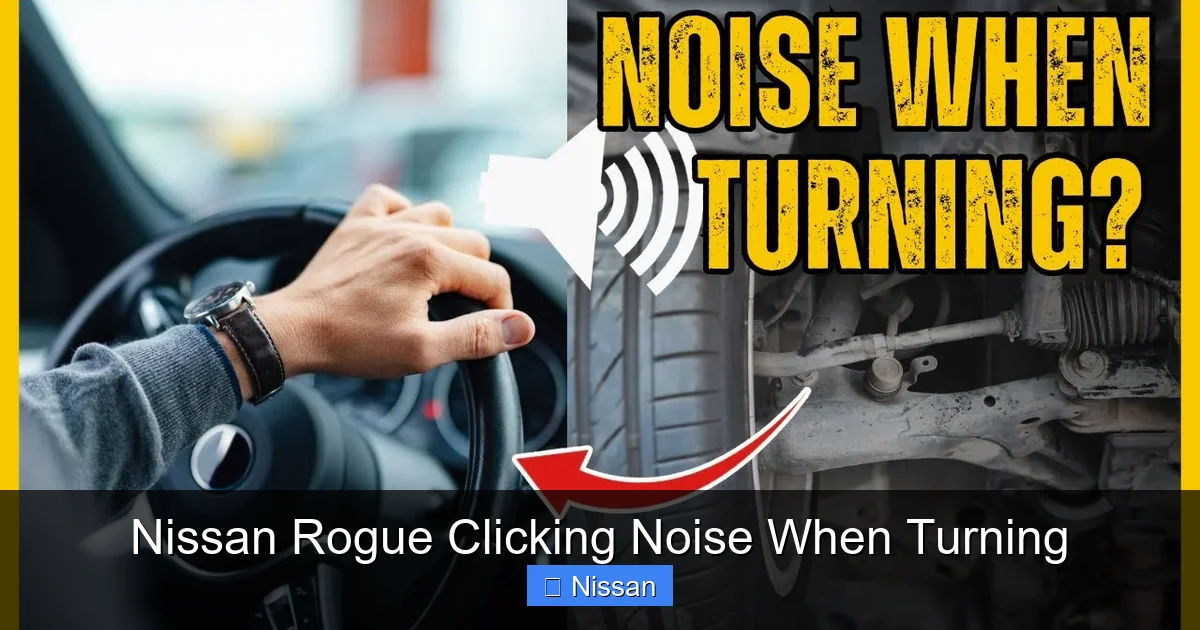
Visual guide about Nissan Rogue Clicking Noise When Turning
Image source: i.ytimg.com
If the sound is light, the steering feels normal, and there is no vibration, you may have a small problem. Still, do not wait too long. Small issues can turn into bigger ones if they are left alone.
Serious signs to watch for
If the clicking gets louder over time, that is a concern. If you feel vibration through the wheel, hear a grinding sound, or notice the car pulling, the issue may be more serious. A worn CV joint can fail completely if ignored.
Also pay attention if the steering feels stiff, loose, or uneven. A Nissan Rogue clicking noise when turning plus steering changes means the car should be checked soon. Do not keep driving if the sound becomes sharp, constant, or paired with metal-on-metal noise.
Do not wait for a breakdown
Many drivers keep driving because the car still moves fine. But a clicking axle or loose steering part can get worse fast. If a CV joint fails, the vehicle may become hard to drive or even stop moving properly.
Quick action can save money and stress. It can also keep you safer on the road.
Repair Options and What to Expect
Replacing a CV axle or joint
If the CV joint is worn, the usual fix is replacing the axle assembly. In many cases, that is the best long-term repair. A mechanic will inspect both sides and may recommend replacing the one that is noisy, or both if wear is similar.
This repair is common and usually straightforward for a shop. If you hear a Nissan Rogue clicking noise when turning and the CV boot is torn, this is often the final answer.
Fixing loose trim or brake parts
If the issue is a loose wheel cover, bent shield, or brake clip, the fix may be simple. A technician can tighten, bend back, or replace the part. Sometimes the repair takes very little time.
These are good news problems. They can sound serious, but they are often not expensive.
Suspension repairs
If the noise comes from worn ball joints, tie rods, or struts, the repair may be more involved. These parts affect steering and safety, so they should be handled by a pro if you are not experienced.
After the repair, an alignment may be needed. That helps keep the tires straight and the steering wheel centered.
Why early repair saves money
Fixing a small issue early is almost always cheaper than waiting. A torn boot can lead to a bad CV joint. A worn joint can lead to axle replacement. A loose part can damage nearby parts over time.
That is why a Nissan Rogue clicking noise when turning should not be ignored. The sooner you find the cause, the better your odds of keeping the repair simple.
How to Prevent the Problem from Coming Back
Keep up with tire care
Check tire pressure often. Rotate tires on schedule. Replace worn tires before they get too bad. Good tire care helps reduce noise and helps the suspension work the way it should.
If you want to keep your Rogue riding smoothly, tire choice matters too. Our guide to the best tires for 2016 Nissan Rogue is a useful place to start if you are shopping for replacements.
Inspect boots and underbody parts
During oil changes or routine service, ask someone to look at the CV boots, splash shields, and brake hardware. These parts can wear slowly, so they are easy to miss until they start making noise.
Small checks can prevent a bigger Nissan Rogue clicking noise when turning later on.
Stay ahead of suspension wear
If your Rogue has high miles, have the front end checked now and then. Roads, potholes, and curb hits can all wear steering parts. A quick inspection can catch loose parts before they start clicking.
If you are already doing routine maintenance, it helps to stay on top of basics like oil service too. For example, if you own an older model, our 2017 Nissan Rogue oil change guide can help with service timing.
Drive gently when turning
Sharp turns at speed put more stress on the front end. So do hard turns over curbs, potholes, and parking blocks. Gentle driving will not fix a worn part, but it can slow down wear.
That is especially helpful if you have already noticed a Nissan Rogue clicking noise when turning and are waiting for a repair appointment.
Conclusion
A Nissan Rogue clicking noise when turning is usually a warning, not just a harmless sound. Most of the time, the cause is a worn CV joint, a loose wheel cover, brake contact, tire rub, or another front-end part that needs attention. The pattern of the noise matters. Pay attention to when it happens, how loud it is, and whether it changes with speed or steering angle.
Start with simple checks. Look at the tires. Inspect the wheel area. Watch for torn CV boots. If the noise is light and the car drives normally, you may have a small fix. If the sound gets louder, or if you feel vibration or steering trouble, get it inspected soon.
The main goal is simple. Catch the problem early, fix the real cause, and keep your Rogue safe and smooth. A Nissan Rogue clicking noise when turning can be solved. You just need to track it down before it turns into a bigger repair.
Frequently Asked Questions
Is a Nissan Rogue clicking noise when turning always a CV joint problem?
No, not always. A worn CV joint is the most common cause, but loose trim, brake shield contact, tire rub, or suspension wear can also make a clicking sound.
Can I keep driving if my Nissan Rogue clicks when I turn?
If the sound is light and the car drives normally, you may be able to drive short distances. But if the noise gets louder, or you feel vibration or steering changes, get it checked soon.
Why does the clicking happen more on sharp turns?
Sharp turns put more stress on the CV joints and front suspension. That extra angle can make a worn part click more clearly.
Can low tire pressure cause a Nissan Rogue clicking noise when turning?
Yes, it can sometimes contribute to rubbing or odd tire movement. Low pressure is not the most common cause, but it is worth checking right away.
How much does it cost to fix a clicking noise when turning?
The cost depends on the cause. A loose shield or wheel cover may be cheap to fix, while a CV axle or suspension repair will cost more.
Should I replace both CV axles at the same time?
Not always, but it can make sense if both sides show similar wear or high mileage. A mechanic can inspect both and help you decide what is best.


