Wedding Car Poster Design Online Free
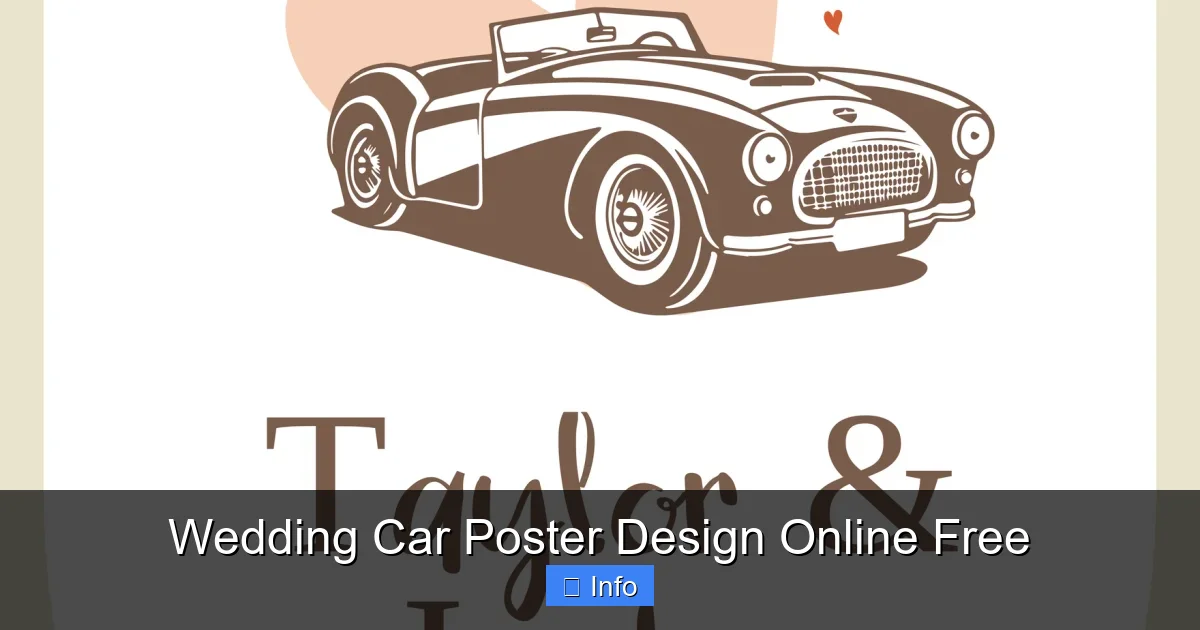
Create a beautiful wedding car poster design online free without spending a dime. This guide walks you through the best free tools, step-by-step tips, and creative ideas to make your car stand out on the big day, all while staying within budget.
There’s something undeniably magical about seeing a beautifully designed poster on the wedding car as it cruises down the street. It sets the tone, announces the celebration, and adds a personalized touch that guests remember. In the past, creating such a design required a professional designer and a hefty budget. Today, however, couples can explore wedding car poster design online free options that put creativity at their fingertips without spending a dime. The rise of user-friendly graphic design platforms has made it possible for anyone to craft a stunning visual, even with zero prior design experience. In this article, we’ll walk you through everything you need to know, from picking the right tool to printing tips that ensure your poster looks flawless on the day of the ceremony.
**Why Go Online for Wedding Car Poster Design?**
The internet has transformed how we approach event planning, and wedding car aesthetics are no exception. Choosing an online route for your poster design offers several immediate benefits. First, it’s incredibly cost-effective. Free tools eliminate the need for expensive software or designer fees, allowing you to allocate your budget toward other meaningful details like flowers or catering. Second, online platforms are accessible from any device, whether you’re sitting at your laptop or tweaking the design on your tablet while sipping coffee. Third, the variety of templates means you’re not starting from a blank canvas; you can choose a layout that already captures the vibe you’re aiming for, whether that’s elegant, playful, or cultural. Finally, online designs are easy to edit. Changed your mind about the color scheme? Want to swap the font? You can make adjustments in seconds and re-download the updated file without any hassle.
**Top Features to Look for in a Free Wedding Car Poster Maker**
Not all free design tools are created equal, so it’s worth knowing which features will make your life easier. Look for a platform with a drag-and-drop interface—this simplifies the process and removes the need to learn complex coding or layout principles. A good template library is essential; the best sites categorize templates by occasion, so you can quickly find “wedding” or “car poster” options. Customization options should include a wide selection of fonts, colors, and graphics. Some platforms even allow you to upload your own images, which is perfect for adding personal photos or custom monograms. Export quality matters too; ensure the tool supports high-resolution PNG or PDF downloads so your poster prints clearly without pixelation. Lastly, check if the platform offers direct sharing options to social media or email, which can be handy for saving digital copies for invites or thank-you posts.
**Step-by-Step: Creating Your First Wedding Car Poster Online**
Ready to dive in? Let’s walk through the process step by step, so you can create a poster you’ll love. First, choose your platform. Canva, Adobe Express, and PosterMyWall are among the most popular free options, each offering wedding-specific templates. Once you’ve signed up (most require just an email address), browse the template collection and select one that matches your wedding style. Next, customize the text. Replace placeholder text with the couple’s names, wedding date, and any short phrase you love, such as “Just Married” or “Celebrating Love.” Then, add your personal images. Upload photos from your computer or phone, and drag them into the designated areas. Adjust the positioning, resize as needed, and apply any filters the tool offers to enhance the look. Play with the color palette to match your wedding colors; most tools let you input specific hex codes if you have them. When you’re satisfied with the layout, review it carefully. Check for spelling errors, ensure the text is large enough to read from a distance, and confirm that important details like the date are prominent. Finally, download your design. Select the highest quality format available, and save it to your device. You now have a professional-looking wedding car poster ready for printing or digital sharing.
**Free vs. Paid: What You Get and What You Miss**
It’s natural to wonder if free tools can truly deliver results comparable to paid design services. The honest answer is: yes, for most basic to intermediate needs, free platforms more than suffice. You get access to thousands of templates, the ability to upload your own assets, and high-quality download options without paying a cent. However, there are a few limitations to keep in mind. Free plans sometimes include a watermark on downloaded designs, though many allow you to remove it by creating a free account. The template selection may be more limited compared to premium libraries, and some advanced customization features, like exclusive fonts or advanced photo editing tools, might be reserved for paid tiers. Additionally, commercial usage rights can vary by platform, so always read the terms if you plan to use the poster beyond personal display. If your needs are simple—printing a few posters for the car, sharing on social media, or displaying at the venue—free tools will likely meet all your requirements comfortably.
**Creative Ideas for Wedding Car Poster Designs**
Feeling inspired? Here are a few creative directions you can take with your online design. A classic monogram featuring the couple’s initials intertwined looks timeless and elegant, especially when set against a soft watercolor background. Photo collages are another popular choice; arrange a series of engagement pictures, pre-wedding snapshots, or even family portraits in a visually appealing grid or heart shape. If you’re planning a themed wedding, incorporate elements that reflect that theme—think seashells for a beach ceremony, rustic burlap textures for a barn wedding, or intricate henna patterns for a traditional Indian celebration. Color blocking, where bold blocks of color create a modern, graphic look, is perfect for couples who want a contemporary vibe. You can also experiment with typography play, using different font sizes and styles for the names and date to create a dynamic, artistic composition. Whatever direction you choose, the key is to keep the design uncluttered so it’s easily readable from inside or outside the moving car.
**Tips for Printing and Displaying Your Wedding Car Poster**
Creating the design is only half the journey; ensuring it looks great when printed and displayed is equally important. Start by checking the dimensions of your car’s windows or the area where the poster will be attached. Standard car window posters often work well at sizes around 11×14 inches or 16×20 inches, but measuring your specific space prevents fitting issues. Choose a high-quality print material; matte or semi-gloss photo paper tends to look sophisticated and resists fingerprints better than glossy finishes. If the poster will be exposed to sunlight or rain, consider laminating it for added durability. Many couples opt for magnetic posters that can be easily attached and removed without leaving residue. For a more permanent look, some choose adhesive vinyl decals that conform to the car’s curves. Lastly, do a test print at home or at a local print shop before committing to a full order; this allows you to check color accuracy and make any final adjustments. With these tips, your wedding car poster will look stunning from the moment the car leaves the driveway to the last stop of the reception.
Your wedding day is a reflection of your unique love story, and every detail, right down to the car poster, contributes to the atmosphere you’ve worked so hard to create. By choosing to design online for free, you’ve not only saved money but also gained the satisfaction of crafting something personal with your own hands. The tools available today are incredibly powerful, user-friendly, and flexible enough to bring any vision to life. Whether you go for a minimalist monogram, a photo-filled collage, or a bold, colorful statement piece, the most important thing is that it feels true to you as a couple. So fire up that design platform, play around with colors and fonts, and enjoy the process of bringing your wedding car to life. After all, it’s these personal touches that make the day unforgettable for you and your guests alike.
**Frequently Asked Questions**
Can I really create a professional-looking wedding car poster for free?
Yes, absolutely. Free design platforms like Canva and Adobe Express offer high-quality templates and tools that produce polished results without any cost. The key is to start with a solid template, customize thoughtfully, and download the highest resolution available.
Do I need any design experience to use these online tools?
Not at all. These platforms are built for beginners, featuring drag-and-drop interfaces and pre-designed layouts. You can create a beautiful poster by simply choosing a template, replacing the text with your details, and adding your own photos.
What file format should I download for printing?
For printing purposes, PDF or high-quality PNG formats are recommended. These preserve the layout and ensure crisp, clear output without pixelation, especially important for larger prints viewed from a distance.
Can I use my own photos and wedding colors in the design?
Yes, most free tools allow you to upload personal images and customize the color palette. You can input specific hex codes to match your exact wedding colors, ensuring the poster coordinates perfectly with your overall theme.
Are there any copyright issues with using free design platforms?
Generally, no, as long as you use the platform’s built-in templates and elements. However, if you upload your own photos or use custom fonts, you retain the rights to those. Always check the platform’s terms of use if you plan to use the design for commercial purposes beyond personal display.
How do I ensure the text is readable from inside a moving car?
Keep the text concise and use bold, clear fonts. Avoid overly decorative scripts for large blocks of text. Make sure there’s enough contrast between the text color and the background—dark text on a light background, or vice versa, works best for quick readability.
Key Takeaways
- Point 1: Free online design platforms like Canva, Adobe Express, and PosterMyWall offer ready-made wedding car poster templates that require no design experience.
- Point 2: Customization is easy—swap fonts, colors, and graphics to match your wedding theme, whether it’s romantic, vintage, or traditional.
- Point 3: You can upload your own photos, such as engagement pictures or monograms, and place them directly onto the car poster layout.
- Point 4: Most free tools allow high-resolution downloads suitable for printing on car windows, walls, or digital sharing on social media.
- Point 5: Keep text concise and readable from a distance; bold names and wedding dates work best for car posters viewed while moving.
- Point 6: Check licensing terms for any graphics or fonts you use, even on free platforms, to avoid issues when printing multiple copies.
- Point 7: Print a test sample first to verify colors and sizes before ordering bulk prints for your wedding day.
Frequently Asked Questions
Can I really create a professional-looking wedding car poster for free?
Yes, absolutely. Free design platforms like Canva and Adobe Express offer high-quality templates and tools that produce polished results without any cost. The key is to start with a solid template, customize thoughtfully, and download the highest resolution available.
Do I need any design experience to use these online tools?
Not at all. These platforms are built for beginners, featuring drag-and-drop interfaces and pre-designed layouts. You can create a beautiful poster by simply choosing a template, replacing the text with your details, and adding your own photos.
What file format should I download for printing?
For printing purposes, PDF or high-quality PNG formats are recommended. These preserve the layout and ensure crisp, clear output without pixelation, especially important for larger prints viewed from a distance.
Can I use my own photos and wedding colors in the design?
Yes, most free tools allow you to upload personal images and customize the color palette. You can input specific hex codes to match your exact wedding colors, ensuring the poster coordinates perfectly with your overall theme.
Are there any copyright issues with using free design platforms?
Generally, no, as long as you use the platform’s built-in templates and elements. However, if you upload your own photos or use custom fonts, you retain the rights to those. Always check the platform’s terms of use if you plan to use the design for commercial purposes beyond personal display.
How do I ensure the text is readable from inside a moving car?
Keep the text concise and use bold, clear fonts. Avoid overly decorative scripts for large blocks of text. Make sure there’s enough contrast between the text color and the background—dark text on a light background, or vice versa, works best for quick readability.